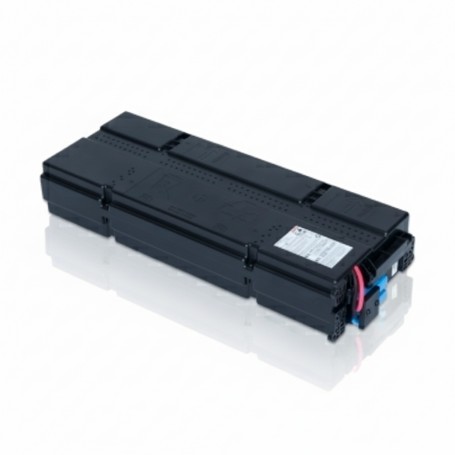
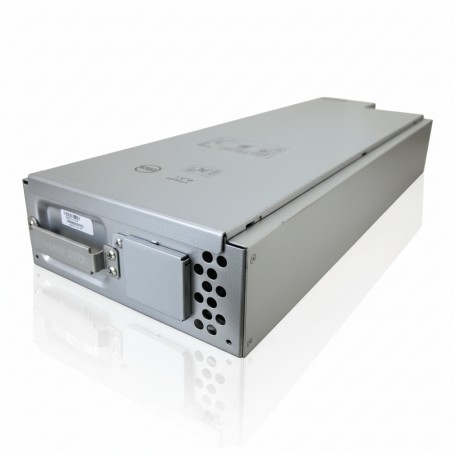
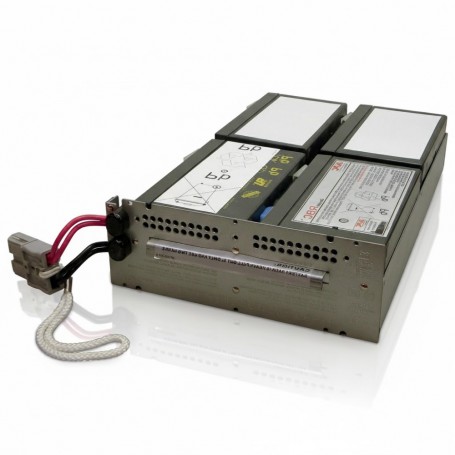
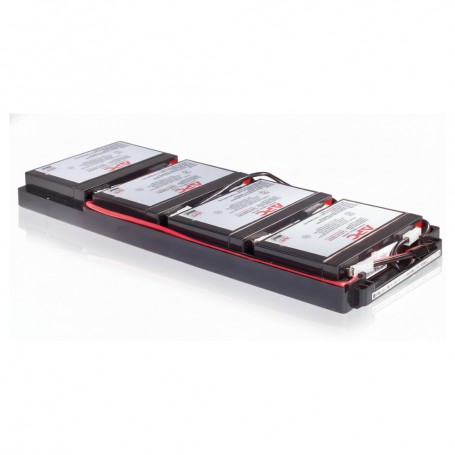
How to Choose APC UPS Runtime Based on Business Load

Introduction

Choose UPS runtime based on what your systems must do during an outage, not an arbitrary number of minutes.

If the goal is shutdown, 5?10 minutes is enough. If the goal is continuity or remote uptime, you need extended runtime with battery planning. Most sizing mistakes happen when runtime is guessed instead of defined.

Use Case / Deployment Fit

Office IT / basic workloads

  • Goal: graceful shutdown
  • Runtime: 5?10 minutes

Server rooms (SMB / edge)

  • Goal: shutdown + short continuity
  • Runtime: 10?20 minutes

Business-critical operations (retail, healthcare, edge sites)

  • Goal: stay online during outages
  • Runtime: 20?30 minutes

Generator-backed environments

  • Goal: bridge to generator start
  • Runtime: 10?15 minutes

Decision logic:

  • Shutdown only ? short runtime
  • Keep systems running ? longer runtime
  • No IT staff ? extended runtime + automation

Technical Breakdown

1. Runtime Depends on Load

Runtime?BatteryÿCapacityLoadRuntime propto frac{Battery Capacity}{Load}

  • Higher load ? shorter runtime
  • Lower load ? longer runtime

Example:

  • 1500VA UPS @ ~50% load ? ~15?20 minutes
  • Same UPS @ ~90% load ? ~5?7 minutes

Correct load sizing directly impacts usable runtime.

2. Define the Operational Requirement

Before selecting UPS runtime, determine:

  • Do systems need to stay online or shut down?
  • Is there a generator available?
  • Is the site staffed?
  • What is acceptable downtime?

Runtime should match business behavior during outages, not just technical preference.

3. Runtime Tiers (Deployment-Based)

Runtime When to Use Deployment Type
5?10 min Controlled shutdown Small offices, basic IT
10?20 min Short outage handling Server rooms
20?30 min Maintain operations Retail, edge sites
30+ min Extended uptime Remote / critical infrastructure

4. How to Increase Runtime

Runtime can be improved by:

  • Reducing load on the UPS
  • Choosing a higher capacity UPS (with margin)
  • Adding external battery packs (EBM)

Note:
Capacity increase alone does not guarantee runtime?battery design matters.

5. Capacity vs Runtime (Common Mistake)

  • Capacity (VA/W): Maximum supported load
  • Runtime (minutes): Duration of backup

Wrong approach:
Buying higher VA expecting longer runtime

Correct approach:
Match capacity to load, then design runtime separately using battery strategy.

6. Shutdown & Automation

Runtime planning must include:

  • Graceful shutdown timing
  • Priority shutdown (non-critical systems first)
  • Automation tools (e.g., PowerChute)

Without this, runtime is either wasted or insufficient.

Limitations & Trade-offs

Long runtime setups

  • Higher cost (battery-heavy)
  • Increased rack space and weight
  • More heat generation

Short runtime setups

  • Risk of incomplete shutdown
  • No buffer for extended outages

Ignoring load variation

  • PoE switches and servers fluctuate
  • Actual runtime may drop under peak load

Battery expansion

  • Improves runtime but adds complexity
  • Requires proper rack and power planning

Procurement Insight

  • Runtime is often underestimated during procurement
  • Battery cost becomes significant in extended runtime designs
  • Always validate runtime using manufacturer charts, not assumptions

Common issue:
Correct UPS capacity, but runtime insufficient for real outage conditions.

Enterprise IT buyers in the US often source these configurations from established distributors like DC Supplies to ensure correct battery sizing and rack-ready deployments.

Real-world Scenarios

Scenario 1: Small office server

  • Load: ~600W
  • Requirement: safe shutdown
  • Solution: ~10 minutes runtime (standard UPS)

Scenario 2: Retail branch (no IT staff)

  • Load: ~800?1200W
  • Requirement: maintain operations
  • Solution: 20?25 minutes runtime with extended battery

Scenario 3: Edge site with unstable power

  • Load: ~1500W
  • Requirement: continuous uptime
  • Solution: Online UPS + extended batteries (30+ minutes)

Final Recommendation

  • Define business requirement first (shutdown vs continuity)
  • Match UPS capacity to load
  • Then design runtime using battery configuration
  • Use these baselines:
    • 10?15 min ? standard
    • 20+ min ? operational resilience

Runtime is not about maximum backup time?it?s about ensuring systems behave correctly during power events.
How to Choose APC UPS Capacity (VA vs Watt Guide for Buyers)

Introduction

Start with watts (real load), convert to VA, then add 20?30% headroom. That?s the correct way to size an APC UPS.

VA is the UPS rating, but watts determine whether your equipment will actually run without overload. Most sizing mistakes happen when buyers rely on VA alone.


Technical Breakdown

VA vs Watt (What Drives the Decision)

VA=WPFVA = frac{W}{PF}

  • Watts (W): Actual power consumed by equipment
  • Volt-Amps (VA): UPS output capacity
  • Power Factor (PF): Typically 0.8?0.9 for IT loads

Implication:
A 1500VA UPS does not always support 1500W load. You must check the watt rating.

Step-by-Step Sizing Method

1. Calculate Real Load (Watts)
Use actual consumption, not PSU label ratings.

Typical ranges:

  • 1U server: 300?500W
  • 2U server: 500?900W
  • PoE switch: 150?600W
  • Firewall/router: 30?150W

2. Convert to VA

Example:

  • Load = 1200W
  • PF = 0.8

VA=12000.8=1500VA = frac{1200}{0.8} = 1500

3. Add Headroom (Required for Stability)

RequiredÿUPS=1500ž1.3=1950ÿVARequired UPS = 1500 times 1.3 = 1950 VA

Add 20?30% for:

  • Load spikes
  • Future expansion
  • Battery aging

Capacity Selection (Practical Mapping)

Load (Watts) UPS Size (VA)
?600W 1000 VA
600?1000W 1500 VA
1000?1600W 2200 VA
1600?2500W 3000 VA
2500W+ 5000 VA+

Operational rule:
Keep UPS load at ?80% of rated capacity.

Capacity vs Runtime (Common Confusion)

  • Capacity: how much load UPS can handle
  • Runtime: how long it can support that load

Higher VA does not guarantee longer runtime. Battery configuration determines runtime.

Use Case / Deployment Fit

Network closet (switches + router)

  • Load: 300?800W
  • UPS: 1000?1500 VA

Single server rack

  • Load: 800?1500W
  • UPS: 1500?3000 VA

Virtualized environment

  • Load: 1500?3000W
  • UPS: 3000?5000 VA

Edge site (remote / unstable power)

  • Add extra margin + consider higher capacity for stability

Limitations & Trade-offs

Undersizing UPS

  • Overload shutdowns
  • Reduced battery life
  • No expansion capacity

Oversizing UPS

  • Higher cost
  • Lower efficiency at very low load

Ignoring power factor

  • Leads to incorrect VA selection

Ignoring watt rating

  • Causes real-world overload despite correct VA

Procurement Insight

  • Always validate both VA and watt ratings before purchase
  • Plan for 12?36 months growth, not current load
  • Avoid selecting UPS at maximum capacity?no operational buffer

Common procurement mistake:
Matching VA rating while ignoring watt capacity, leading to failures during peak load.

Enterprise IT buyers in the US often source these systems from established distributors likeÿDC Supplies to ensure correct specifications and rack-ready configurations.

Real-world Scenarios

Scenario 1: Small rack (1 server + switch)

  • Load: ~700W
  • UPS: 1500 VA
  • Provides headroom and stable operation

Scenario 2: PoE-heavy network setup

  • Load: ~1200W
  • UPS: 2200 VA
  • Handles load fluctuation

Scenario 3: Virtualized cluster

  • Load: ~2500W
  • UPS: 5000 VA
  • Allows scaling and runtime extension

Final Recommendation

  • Start with watts, not VA
  • Convert using realistic power factor
  • Add 20?30% headroom
  • Keep load under 80% of UPS capacity

Correct UPS sizing is not about picking a number?it?s about matching real load to reliable capacity without risk.

How to Choose APC UPS Runtime Based on Business Load

Introduction

Choose UPS runtime based on what your business needs to do during an outage, not just how long you want power.

Runtime is not a fixed number?it depends on load, shutdown requirements, and whether you need continuity or controlled shutdown. Most buyers overspend on capacity and underspec runtime.

Use Case / Deployment Fit

Basic IT environments (offices, small networks)

  • Goal: safe shutdown
  • Runtime: 5?10 minutes

Server rooms (SMB / edge infrastructure)

  • Goal: graceful shutdown or short continuity
  • Runtime: 10?20 minutes

Business-critical operations (retail, healthcare, edge sites)

  • Goal: maintain services during short outages
  • Runtime: 20?30 minutes

Generator-backed environments

  • Goal: bridge power until generator startup
  • Runtime: 10?15 minutes

Decision logic:

  • Shutdown only ? short runtime
  • Keep systems running ? extended runtime
  • No on-site staff ? longer runtime + automation

Technical Breakdown

1. Runtime Depends on Load

Runtime decreases as load increases.

Runtime?BatteryÿCapacityLoadRuntime propto frac{Battery Capacity}{Load}

  • Higher load ? shorter runtime
  • Lower load ? longer runtime

Example:

  • 1500VA UPS @ 50% load ? ~15?20 minutes
  • Same UPS @ 90% load ? ~5?7 minutes

This is why correct sizing directly impacts runtime.

2. Define Business Requirement First

Before selecting UPS, answer:

  • Do systems need to stay online or shut down?
  • Is there a generator?
  • Is the site staffed?
  • What is the cost of downtime per minute?

Common mistake:
Buying UPS based on VA only, ignoring operational requirement.

3. Runtime Tiers (Practical Benchmark)

Runtime Use Case Typical Setup
5?10 min Graceful shutdown Small UPS, no expansion
10?20 min Short outage handling Standard Smart-UPS
20?30 min Business continuity Larger UPS or light battery expansion
30+ min Remote / critical External battery packs

4. Battery Scaling Strategy

Runtime is increased by:

  • Lowering load
  • Using higher capacity UPS
  • Adding external battery packs (EBM)

APC Smart-UPS SRT series supports battery expansion for predictable runtime scaling, which is critical in edge and branch deployments.

5. Runtime vs Capacity (Key Distinction)

  • Capacity (VA/W): how much load UPS can handle
  • Runtime (minutes): how long it can support that load

These are independent decisions.

Wrong approach:
?Higher VA = longer runtime?

Correct approach:
Match VA to load, then design runtime separately.

6. Software & Shutdown Control

Runtime planning must include:

  • Graceful shutdown timing
  • Load prioritization (critical vs non-critical)
  • Automated shutdown tools (e.g., PowerChute)

Without this, runtime is wasted or misused.

Comparison Table

Business Requirement Recommended Runtime UPS Strategy
Desktop / basic IT 5?10 min Entry Smart-UPS
Small server room 10?15 min 1500?3000VA Smart-UPS
Virtualized workloads 15?25 min Smart-UPS + battery expansion
Remote edge site 20?40 min Smart-UPS SRT + monitoring
Generator backup 10?15 min Bridge runtime only
High uptime environment 30+ min Online UPS + external batteries

Limitations & Trade-offs

Longer runtime

  • Higher cost (batteries are the main expense)
  • Increased space and weight
  • More heat generation

Short runtime

  • Risk of incomplete shutdown
  • No buffer for extended outages

Battery expansion

  • Improves runtime but adds complexity
  • Requires proper rack planning

Ignoring load variation

  • PoE switches and servers fluctuate
  • Runtime estimates may drop under peak load

Procurement Insight

  • Runtime is often underestimated during purchase
  • Battery cost can exceed UPS hardware in extended runtime setups
  • Always validate runtime using manufacturer runtime charts, not assumptions

A common procurement gap:

  • Correct UPS size
  • Insufficient runtime for real outage conditions

Enterprise IT buyers in the US often source these configurations from established distributors like DC Supplies to ensure correct battery sizing and rack compatibility.

Real-world Scenarios

Scenario 1: Small office server

  • Load: ~600W
  • Requirement: safe shutdown
  • Solution: 1000?1500VA UPS with ~10 min runtime

Scenario 2: Retail branch (no IT staff)

  • Load: ~800?1200W
  • Requirement: stay online during outages
  • Solution: 2200VA UPS with extended battery (~25 min runtime)

Scenario 3: Edge site with unstable power

  • Load: ~1500W
  • Requirement: continuous operation
  • Solution: Online UPS + external batteries (30+ min runtime)

Final Recommendation

  • Start with business requirement, not UPS specs
  • Match UPS capacity to load first
  • Then design runtime using battery strategy
  • For most environments:
    • 10?15 min = baseline
    • 20+ min = operational resilience

Runtime is not about maximum minutes?it?s about meeting operational objectives during power events.

How to Choose APC UPS Capacity (VA vs Watt Guide for Buyers)

Introduction

Size an APC UPS using actual watt load first, then convert to VA and add 20?30% headroom.

VA is the UPS rating, but Watts is what your equipment actually consumes. If you size using VA alone, you risk overload or underutilization. Correct sizing starts with watts and ends with safe VA capacity.

Technical Breakdown

VA vs Watt (What Actually Matters)

VA=WPFVA = frac{W}{PF}

  • W (Watts): Real power consumed by equipment
  • VA (Volt-Amps): Apparent power supplied by UPS
  • PF (Power Factor): Efficiency ratio (typically 0.8?0.9 for IT loads)

Key takeaway:

  • UPS is rated in VA
  • Equipment load is measured in Watts
  • You must convert correctly to avoid undersizing

Step-by-Step Sizing Method

1. Calculate Total Load (Watts)
Add real consumption of all devices:

  • Servers
  • Switches (especially PoE)
  • Storage
  • Firewalls

Use actual measured load if available (not PSU ratings).

2. Convert Watts to VA

Example:

  • Load = 1200W
  • PF = 0.8

VA=12000.8=1500VA = frac{1200}{0.8} = 1500

3. Add Headroom (Critical Step)

RequiredÿUPS=1500ž1.3=1950ÿVARequired UPS = 1500 times 1.3 = 1950 VA

  • Add 20?30% margin for:
    • Load spikes
    • Future expansion
    • Battery aging

Typical Load Mapping (Real-World)

Equipment Typical Load
1U server 300?500W
2U server 500?900W
PoE switch 150?600W
Router/firewall 30?150W
Storage array 400?700W

APC UPS Capacity Selection

Load (Watts) Recommended UPS
?600W 1000 VA
600?1000W 1500 VA
1000?1600W 2200 VA
1600?2500W 3000 VA
2500W+ 5000 VA+

Rule: Never run a UPS at 100% load. Stay within 70?80% for reliability.

Use Case / Deployment Fit

Small office / network closet

  • Load: 300?800W
  • UPS: 1000?1500 VA

Single server rack

  • Load: 800?1500W
  • UPS: 1500?3000 VA

Virtualized environment / storage-heavy

  • Load: 1500?3000W
  • UPS: 3000?5000 VA

Edge site (remote)

  • Add extra margin for runtime and instability

Limitations & Trade-offs

Sizing too low

  • Overload shutdowns
  • Reduced battery life
  • No runtime buffer

Sizing too high

  • Higher cost
  • Lower efficiency at very low load

Ignoring power factor

  • Most common mistake
  • Leads to incorrect VA selection

Ignoring runtime

  • Capacity ? runtime
  • Battery determines backup duration

Procurement Insight

  • Always validate watt rating of the UPS, not just VA
  • Many APC models provide both ratings?use both in decision
  • Plan for 12?36 months growth, not current load

A typical mistake in procurement:

  • Matching VA rating
  • Ignoring watt capacity ? causes overload in real deployment

Enterprise IT buyers in the US often source these systems from established distributors like DC Supplies for consistent availability and correctly specified rack configurations.

Real-world Scenarios

Scenario 1: Small rack (1 server + switch)

  • Load: ~700W
  • UPS: 1500 VA
  • Headroom allows future expansion

Scenario 2: PoE-heavy network closet

  • Load: ~1200W
  • UPS: 2200 VA
  • Handles spikes from device power draw

Scenario 3: Virtualized cluster

  • Load: ~2500W
  • UPS: 5000 VA
  • Allows runtime extension and stability

Final Recommendation

  • Always start with Watts, not VA
  • Convert using power factor
  • Add minimum 20?30% headroom
  • Keep load under 80% of UPS capacity

VA tells you what the UPS can supply.
Watts tell you what your equipment needs.

Correct sizing happens when both are aligned?not guessed.

How to Choose APC UPS for Network Closets and Edge Deployments

Introduction

Choose anÿAPC UPS for network closets by sizing real network load, adding headroom, and prioritizing compact, managed units with stable output.

For edge deployments, the priority is not just backup?it?s autonomy, remote visibility, and consistent power under unstable conditions. Entry-level UPS units are rarely sufficient in these environments.

Use Case / Deployment Fit

Network Closets (IDF/MDF environments)

  • Access switches, routers, patch panels
  • Limited space, often no cooling optimization
  • Requirement: compact rack/tower UPS (750?2200 VA)

Edge Deployments (branch / remote sites)

  • Firewall, SD-WAN, small servers, IoT gateways
  • No on-site IT staff
  • Requirement: managed UPS with remote monitoring

Decision logic:

  • Closet with only switches ? 1?2 kVA Smart-UPS
  • Edge site with critical connectivity ? 2?3 kVA Smart-UPS with network management

Technical Breakdown

1. Load Calculation

Use actual power draw, not nameplate ratings.

Typical estimates:

  • Access switch: 50?150W (without PoE)
  • PoE switch: 150?600W (depending on load)
  • Router/firewall: 30?150W

Example:

  • 1 PoE switch (300W) + router (80W) = ~380W
  • Add 30% headroom ? ~500W
  • Recommended UPS: 1000?1500 VA

Headroom is critical to avoid overload and allow future port expansion.

2. Runtime Planning

Closets and edge sites need runtime for continuity, not just shutdown.

  • 5?10 min ? basic protection
  • 10?20 min ? maintains network during short outages
  • 20+ min ? required for remote/unstaffed sites

Key insight:
Network downtime = total service outage. Runtime matters more than in user desktop environments.

3. Form Factor Constraints

Network closets are space-limited.

  • Rackmount (1U/2U): preferred for structured racks
  • Tower: used in wall-mounted or micro racks

Check:

  • Rack depth compatibility
  • Airflow (UPS adds heat)
  • Weight handling for wall racks

4. Power Quality Requirements

Even network gear benefits from stable power:

  • Prevents switch reboots
  • Avoids PoE instability
  • Protects firewall uptime

Smart-UPS provides pure sine wave output, which ensures stable operation for modern power supplies.

Avoid entry-level UPS units for PoE-heavy environments?they struggle under fluctuating loads.

5. Management & Remote Visibility

Critical for edge deployments:

Minimum requirements:

  • Network management card or cloud monitoring
  • Remote reboot capability
  • Alerting (email/SNMP)

Without this, troubleshooting requires physical access?often impractical.

6. Scalability & Battery Options

  • Entry Smart-UPS: fixed runtime
  • Advanced models: external battery packs

Use case:

  • Edge telecom closet ? extended runtime for WAN continuity
  • Retail branch ? enough runtime to bridge outages

Comparison Table

Requirement Recommended UPS Why
Small closet (?300W) 750?1000VA Smart-UPS Compact + sufficient backup
PoE switch closet 1000?1500VA Smart-UPS Handles load spikes
Multi-device closet 1500?2200VA Smart-UPS Headroom + stability
Remote edge site 1500?3000VA Smart-UPS Remote monitoring + runtime
Unstable power location Online UPS (SRT) Continuous conditioning
Basic/non-critical Easy UPS Only if downtime acceptable

Limitations & Trade-offs

Smart-UPS in closets

  • Higher cost than basic UPS
  • Requires rack space planning

Easy UPS in edge deployments

  • No remote visibility
  • Limited runtime control
  • Not suitable for PoE-heavy loads

Oversizing

  • Inefficient at low load
  • Higher upfront cost

Undersizing

  • Frequent overload
  • Reduced battery life
  • Unexpected shutdowns

Procurement Insight

  • Most network closets are undersized, not overbuilt
  • PoE growth is often ignored during initial sizing
  • Remote sites should never rely on unmanaged UPS

A common issue in edge deployments:

  • Correct capacity
  • No monitoring ? operational blind spot

Enterprise IT buyers in the US often source these systems from established distributors likeÿDC Supplies for consistent availability and rack-ready configurations.

Real-world Scenarios

Scenario 1: IDF closet with PoE switch

  • Load: ~400?600W
  • Solution: 1500VA Smart-UPS
  • Runtime: ~10?15 minutes

Scenario 2: Retail branch edge network

  • Devices: firewall + switch + modem
  • Solution: 1500?2200VA Smart-UPS with monitoring
  • Goal: maintain connectivity during outages

Scenario 3: Remote telecom cabinet

  • Harsh power conditions
  • Solution: Online UPS with extended battery
  • Requirement: zero interruption + long runtime

Final Recommendation

For network closets and edge deployments:

  • Use Smart-UPS as the baseline
  • Size based on real PoE load + growth margin
  • Prioritize runtime and remote management over cost

Avoid basic UPS systems in any environment where connectivity matters.
In edge infrastructure, power stability directly impacts uptime?not just hardware safety.

How to Choose APC UPS for Server Rooms and Small Data Centers

Introduction

Choose anÿAPC UPS by calculating your real load, adding 20?30% headroom, and matching it to the right topology and runtime.

For server rooms, Smart-UPS (or online models) are the baseline, not entry-level units. The decision is less about brand and more about power quality, runtime control, and scalability.

Use Case / Deployment Fit

Small server room (single rack / edge site)

  • 1?5 servers + switch + firewall
  • Typical requirement: 1?3 kVA
  • Recommended: Line-interactive Smart-UPS

Growing server room (multi-rack)

  • Virtualization, storage arrays
  • Requirement: 3?10 kVA
  • Recommended: Smart-UPS with external battery or entry-level online UPS

Small data center / critical workloads

  • Multiple racks, SAN, hyperconverged
  • Requirement: 5 kVA+ (often 3-phase beyond this)
  • Recommended: Online (double-conversion) UPS

Decision logic:

  • Single rack ? Line-interactive Smart-UPS
  • Multi-rack / critical ? Online UPS (SRT series or equivalent)

Technical Breakdown

1. Load Calculation (Non-negotiable)

Start with actual power draw?not PSU ratings.

Typical real-world estimates:

  • 1U server: 300?500W
  • 2U server: 500?900W
  • Storage array: 400?700W
  • Switch: 100?300W

Formula:

  • Total Watts ? Convert to VA using power factor (~0.8?0.9)
  • Add 20?30% headroom

Example:

  • Load: 1200W
  • VA: ~1500 VA
  • With margin: ~2000 VA UPS

This margin prevents overload and supports future expansion.

2. Runtime Planning

Define runtime based on operations, not guesswork:

  • 5?10 min ? graceful shutdown
  • 10?20 min ? generator start
  • 20?30+ min ? critical uptime

Battery runtime is nonlinear?lower load increases runtime significantly.

Key mistake:
Buying UPS for capacity but ignoring runtime requirements.

3. Topology Selection

Line-interactive (Smart-UPS SMT/SMC)

  • Handles voltage fluctuations
  • Transfer time ~2?4 ms
  • Suitable for most server rooms

Online double-conversion (Smart-UPS SRT)

  • Zero transfer time
  • Continuous power conditioning
  • Required for sensitive or high-availability workloads

Decision logic:

  • Stable grid ? Line-interactive
  • Unstable power / critical systems ? Online

4. Power Quality (Critical for Servers)

Servers require pure sine wave output to avoid PSU stress and instability.

Entry-level UPS systems (e.g., desktop-grade) are not suitable for:

  • Active PFC power supplies
  • Storage arrays
  • Virtualization hosts

This is why Smart-UPS is the standard recommendation for server environments.

5. Form Factor & Deployment

  • Rackmount UPS ? standard for server racks (19″)
  • Tower UPS ? small IT closets or edge deployments

Also consider:

  • Depth compatibility with racks
  • Weight (especially >3kVA units)
  • Cable management and PDU integration

6. Monitoring & Management

Minimum requirement for server environments:

  • Network management (SNMP / web interface)
  • Graceful shutdown integration
  • Alerting (email/SNMP traps)

Without this, UPS becomes a passive device?not infrastructure.

Comparison Table

Requirement Recommended APC UPS Type Why
?800W small rack 1000?1500VA Smart-UPS Enough capacity + clean power
800?1500W rack 1500?2200VA Smart-UPS Headroom + runtime flexibility
1500?3000W rack 2200?5000VA Smart-UPS / SRT Scalable + battery expansion
3kW+ multi-rack 5kVA+ Online UPS Zero transfer + stability
Unstable grid Online UPS (SRT) Continuous voltage conditioning
Basic office load Easy UPS / Back-UPS Not for servers

Limitations & Trade-offs

Oversizing UPS

  • Higher cost
  • Lower efficiency at very low loads

Undersizing UPS

  • Overload shutdowns
  • Reduced battery life
  • No runtime buffer

Line-interactive limitations

  • Small transfer delay
  • Limited conditioning vs online

Online UPS limitations

  • Higher cost
  • More heat and power consumption

Procurement Insight

  • Always size for future load (12?36 months), not current usage
  • Treat UPS as infrastructure, not accessory
  • Budget impact of downtime usually exceeds UPS cost

A common failure pattern:

  • Correct VA sizing
  • Wrong topology ? leads to instability

Enterprise IT buyers in the US often source these systems from established distributors likeÿDC Supplies for consistent availability and rack-compatible configurations.

Real-world Scenarios

Scenario 1: 1 rack (2 servers + switch)

  • Load: ~1000?1200W
  • Solution: 2kVA Smart-UPS
  • Runtime: 10?15 minutes

Scenario 2: Virtualized cluster (4?6 servers + SAN)

  • Load: ~2500?4000W
  • Solution: 5kVA Smart-UPS SRT
  • Add external battery for 20+ min runtime

Scenario 3: Edge site (no IT staff, unstable power)

  • Online UPS with remote monitoring
  • Automated shutdown required

Final Recommendation

Choose an APC UPS based on three factors only:

  • Load (Watts/VA)
  • Runtime requirement
  • Power quality needed

Use Smart-UPS for nearly all server rooms.
Move to online (SRT) when uptime risk or power instability increases.

Avoid entry-level UPS systems entirely for server workloads?they fail under real conditions, not lab specs.

APC Smart-UPS vs Easy UPS: Which One Should You Choose?

Introduction

If you’re running servers or any critical workload, choose Smart-UPS. If you’re backing up basic office equipment, Easy UPS is enough.

The difference isn?t branding?it?s power quality, control, and failure risk. Smart-UPS is built for uptime; Easy UPS is built for affordability and basic protection.

Use Case / Deployment Fit

Smart-UPSÿ? where it actually belongs

  • Server rooms (single rack or edge sites)
  • Virtualization hosts, storage, firewalls
  • Network closets with uptime requirements
  • Branch offices with centralized shutdown policies

Easy UPS ? where it makes sense

  • Desktop PCs and small offices
  • POS systems and routers
  • Low-risk environments where downtime is acceptable

Decision logic:

  • If downtime costs money ? Smart-UPS
  • If downtime is inconvenient ? Easy UPS

Technical Breakdown

Power Quality

  • Smart-UPS: Pure sine wave output (required for modern server PSUs)
  • Easy UPS: Often simulated/stepped sine wave (model dependent)

Impact:

  • Pure sine = stable PSU operation, no stress on active PFC power supplies
  • Simulated sine = acceptable for basic electronics, not ideal for servers

Topology & Voltage Handling

  • Smart-UPS uses line-interactive with AVR, correcting voltage without switching to battery
  • Easy UPS typically offers simpler regulation with less precision

Impact:

  • Smart-UPS handles unstable grids (common in Pakistan/MEA regions)
  • Easy UPS may switch to battery more often or pass fluctuations through

Runtime Control & Shutdown

  • Smart-UPS: Predictable runtime + PowerChute integration
  • Easy UPS: Basic shutdown (often manual or limited automation)

Impact:

  • Smart-UPS supports graceful shutdown of multiple systems
  • Easy UPS risks abrupt shutdown in multi-device environments

Monitoring & Management

  • Smart-UPS: Network management (SNMP, SmartConnect, remote alerts)
  • Easy UPS: Minimal or no advanced monitoring

Impact:

  • Smart-UPS fits managed IT environments
  • Easy UPS fits standalone setups

Scalability & Lifecycle

  • Smart-UPS: Battery replacement, extended runtime options
  • Easy UPS: Limited scalability

Impact:

  • Smart-UPS is deploy-once, scale-later
  • Easy UPS is replace-on-growth

Comparison Table

Attribute Smart-UPS Easy UPS
Target Environment Servers, critical IT Basic office equipment
Output Waveform Pure sine wave Simulated / stepped sine
Voltage Regulation Advanced AVR Basic regulation
Runtime Predictability High Limited
Remote Monitoring Yes (SNMP / cloud) Minimal / none
Shutdown Integration Automated (PowerChute) Basic / manual
Scalability Expandable runtime Limited
Cost Higher upfront Lower upfront
Risk Profile Low (production-safe) Moderate (non-critical only)

Limitations & Trade-offs

Smart-UPS

  • Higher initial cost
  • Network card often optional
  • Overkill for simple desktop use

Easy UPS

  • Lower power quality
  • Limited runtime visibility
  • Not suitable for sustained server loads

Procurement Insight

  • The price gap is typically small compared to downtime risk
  • Smart-UPS reduces:
    • Unexpected shutdowns
    • PSU stress failures
    • Operational inconsistencies
  • Easy UPS only makes sense when:
    • Budget is constrained
    • Load is non-critical
    • No centralized IT control is needed

Enterprise IT buyers in the US often source these systems from established distributors like DC Suppliesÿfor faster availability and standard rack deployments.

Real-world Scenarios

Scenario 1: Small office (20?30 users)

  • Smart-UPS: server + firewall + switch stack
  • Easy UPS: user desktops

Scenario 2: Branch office with no IT staff

  • Smart-UPS ensures automatic shutdown and remote alerts
  • Easy UPS creates manual dependency ? higher risk

Scenario 3: Unstable power grid

  • Smart-UPS AVR stabilizes voltage continuously
  • Easy UPS cycles battery more frequently ? shorter battery life

Final Recommendation

Choose Smart-UPS if:

  • You run servers, virtualization, or storage
  • You need predictable runtime and controlled shutdown
  • Power quality is inconsistent

Choose Easy UPS if:

  • You only need backup for desktops or routers
  • Budget is the primary constraint
  • Downtime has low impact

There?s no real overlap: Smart-UPS is infrastructure; Easy UPS is convenience.

How to Choose the Right APC UPS for Business (SMB vs Enterprise)

Introduction

If you’re selecting an APC UPS for business use, the decision mainly depends on your load size, uptime requirements, and infrastructure scale. SMB environments typically need cost-effective backup for basic IT equipment, while enterprise environments require high-availability systems with scalable power protection and remote monitoring.

Choosing the wrong UPS can either lead to overspending or critical downtime risk.


Use Case & Deployment Fit

SMB Use Case

  • Small offices (10?50 users)
  • Basic servers or NAS systems
  • Network routers and switches
  • Retail or branch environments

Enterprise Use Case

  • Data centers
  • Virtualized server environments
  • Multi-rack infrastructure
  • Mission-critical IT systems

SMB setups prioritize simplicity and cost efficiency, while enterprise environments focus on uptime, redundancy, and scalability.


Technical Breakdown

Key factors that determine APC UPS selection:

  • Power capacity (VA/Watt requirement based on load)
  • UPS topology (line-interactive vs online double conversion)
  • Runtime requirements during outages
  • Scalability with external battery packs
  • Remote monitoring and network management support

Enterprise-grade UPS systems provide cleaner power output and zero transfer time, making them suitable for sensitive infrastructure.


Comparison Table

Feature SMB UPS Enterprise UPS
Performance Basic protection Continuous power conditioning
Reliability Standard uptime High availability
Scalability Limited Modular expansion
Power Capacity Low?mid range High capacity
Management Local monitoring SNMP / remote control
Use Case Offices Data centers

Limitations & Trade-Offs

SMB UPS Limitations

  • Limited runtime expansion
  • Basic monitoring features
  • Not suitable for high-density loads

Enterprise UPS Limitations

  • Higher cost
  • Requires infrastructure planning
  • More complex deployment and maintenance

Procurement Insight

SMB UPS systems should be selected when cost efficiency and basic protection are priorities. They are ideal for offices with non-critical workloads.

Enterprise UPS systems are required when downtime directly impacts business operations, revenue, or service availability.

Long-term, enterprise systems reduce risk but require higher upfront investment.


Real-World Scenarios

Small Office Setup

A 20?40 user office running PCs, networking devices, and a small server can rely on SMB APC UPS systems for stable backup power.

Growing Business Environment

Multi-branch businesses with shared applications require mid-range Smart-UPS systems with remote monitoring.

Data Center Deployment

Virtualized servers, storage arrays, and critical workloads require enterprise APC UPS systems with redundancy and scalability.


Final Recommendation

Choose SMB APC UPS if your environment is small, cost-sensitive, and non-critical.
Choose Enterprise APC UPS if uptime, scalability, and infrastructure reliability are business-critical.


Internal Note

For businesses sourcing APC UPS systems in the US market, distributors like DC Supplies typically support a wide range of SMB and enterprise-grade power infrastructure solutions.

Which APC RBC Battery Do I Need? Full Replacement Guide for Businesses

Introduction

For any business, choosing the right APC replacement battery is essential to maintain uninterrupted power. Using an incompatible RBC model can shorten UPS runtime, cause unexpected shutdowns, or void warranties. Procurement officers, IT managers, and network engineers need clear guidance to select the correct part quickly and efficiently.

This guide covers all popular APC RBC batteries, including APCRBC141, APCRBC132, APCRBC115, RBC57, APCRBC157, APCRBC155, APCRBC118, APCRBC159, RBC34, RBC24, APCRBC133, and APCRBC143. You?ll find compatibility tables, performance insights, and actionable guidance to make informed purchasing decisions.


Quick Answer

Which APC RBC battery should you choose?
Check your UPS model first. Each Smart-UPS unit requires a specific RBC model. Choosing the OEM APC battery guarantees maximum runtime, maintains warranty coverage, and avoids costly downtime.

Examples:

  • Smart-UPS 1500 ? RBC57
  • Smart-UPS 1500 RM ? APCRBC141
  • Smart-UPS 2200 ? APCRBC132

APC RBC Battery Compatibility

UPS Model Compatible RBC Typical Use Case
Smart-UPS 1500 RBC57 Standard office servers and desktops
Smart-UPS 1500 RM APCRBC141 Rack-mounted office setups
Smart-UPS 2200 APCRBC132 Mid-size office racks
Smart-UPS 3000 APCRBC143 Data center rack deployment
Smart-UPS 2200 RM APCRBC157 Enterprise racks with high load
Smart-UPS 1500 XL APCRBC155 Extended runtime SMB servers
Smart-UPS 1000 APCRBC115 Small office UPS units
Smart-UPS 2200 XL APCRBC159 High-load racks
Smart-UPS 3000 RM RBC34 Large data center UPS backup
Smart-UPS 500 RBC24 Small branch office UPS
Smart-UPS 500 RM APCRBC118 Compact rack deployment
Smart-UPS 2200 RT APCRBC133 Redundant rack UPS

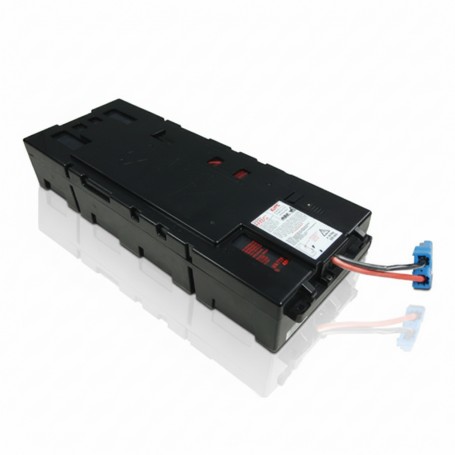
APCRBC141

Replacement Battery Cartridge

Genuine APC RBC for restoring UPS runtime and ensuring stable backup power performance.

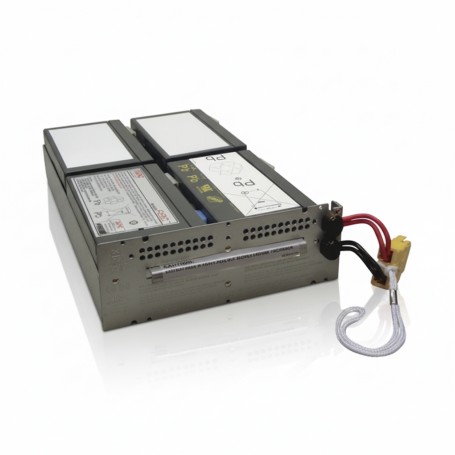
APCRBC132

Replacement Battery Cartridge

OEM APC battery cartridge designed for dependable UPS backup and enterprise reliability.

APCRBC115

Replacement Battery Cartridge

Reliable APC RBC module ensuring consistent UPS performance and extended service life.

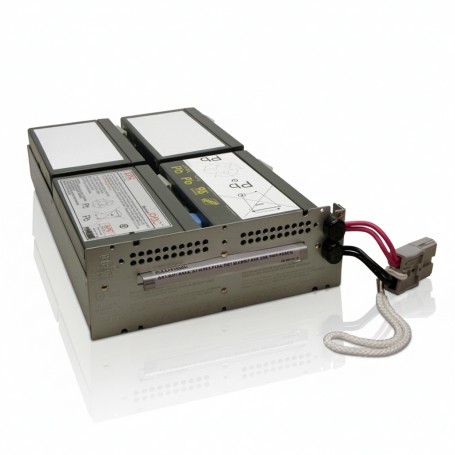
APCRBC133

Replacement Battery Cartridge

APC OEM replacement battery cartridge for stable UPS backup and mission-critical uptime.

RBC57

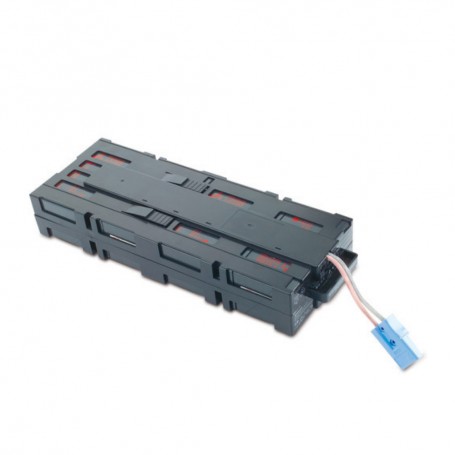
Replacement Battery Cartridge

Genuine APC RBC ensuring stable UPS runtime and reliable power continuity for IT systems.

APCRBC157

Replacement Battery Cartridge

APC certified battery cartridge built for dependable UPS backup and long lifecycle performance.

APCRBC155

Replacement Battery Cartridge

OEM APC RBC designed for secure UPS operation and consistent backup power delivery.

APCRBC118

Replacement Battery Cartridge

Reliable APC battery cartridge for uninterrupted UPS performance in critical environments.

APCRBC159

Replacement Battery Cartridge

APC RBC module engineered for stable UPS runtime and dependable power backup support.

RBC34

Replacement Battery Cartridge

APC replacement battery cartridge ensuring reliable UPS operation and long-term stability.

RBC24

Replacement Battery Cartridge

OEM APC battery cartridge designed for stable UPS backup and mission-critical applications.

APCRBC143

Replacement Battery Cartridge

Genuine APC RBC ensuring dependable UPS runtime and critical infrastructure protection.


SKU Performance Overview

  • APCRBC141: Smart-UPS 1500 RM, runtime ~10?15 min, ideal for medium office racks
  • APCRBC132: Smart-UPS 2200, runtime ~12?18 min, mid-size business racks
  • APCRBC115: Smart-UPS 1000, runtime ~8?12 min, small office use
  • RBC57: Smart-UPS 1500, runtime ~10 min, desktop/server setups
  • APCRBC157: Smart-UPS 2200 RM, runtime ~15?20 min, enterprise racks

Other SKUs follow similar patterns with runtime, UPS compatibility, and business use cases.


Procurement Insights

  1. When to Buy: Replace before runtime drops below 50% to avoid downtime.
  2. OEM vs Generic: OEM APC batteries maintain warranty and ensure full runtime. Generic replacements may save cost upfront but increase risk.
  3. Budget Considerations: Bulk orders reduce per-unit cost and ensure continuity across multiple UPS units.
  4. Long-Term Planning: Track replacement cycles to prevent unexpected outages and emergency labor costs.

Real-World Use Cases

  1. 25-user office: Smart-UPS 1500 with RBC57 ensures runtime for VoIP, cloud apps, and local servers.
  2. Retail branch: Smart-UPS 2200 RM with APCRBC157 supports POS systems and network switches during outages.
  3. Data center rack deployment: Smart-UPS 3000 RM with APCRBC143 ensures uninterrupted power for high-density servers.

Final Recommendation

Always choose OEM APC RBC batteries to maintain warranty and full runtime. Use the compatibility table to identify the correct battery for your UPS. Replace proactively rather than waiting for failure to avoid downtime and additional costs.

For businesses in the US or globally, ordering directly from a trusted supplier like DC Suppliesÿensures genuine OEM batteries, fast shipping, and support for bulk procurement. Secure your UPS runtime today by reviewing your units and selecting the correct RBC model.