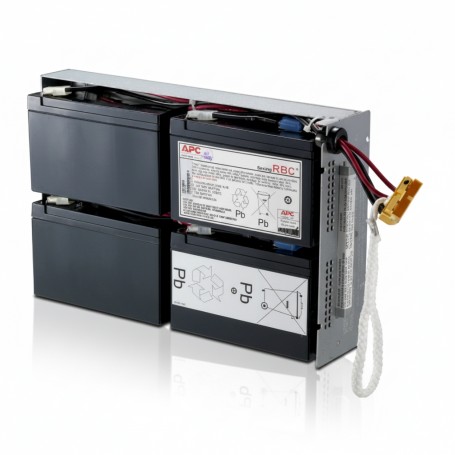
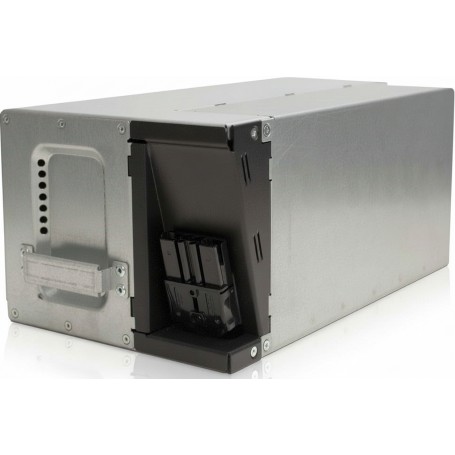
How to Identify the Right RBC Battery for Your UPS Model

Introduction

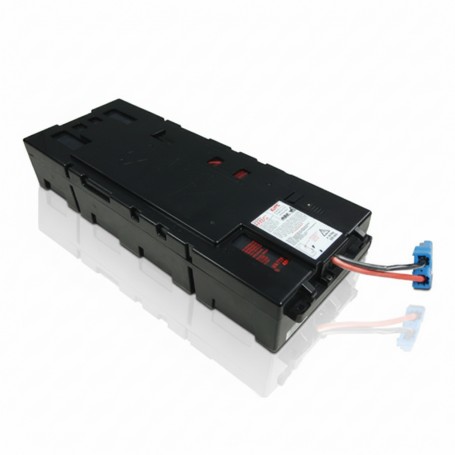
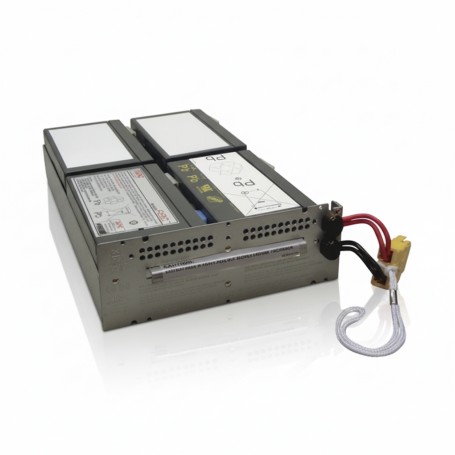
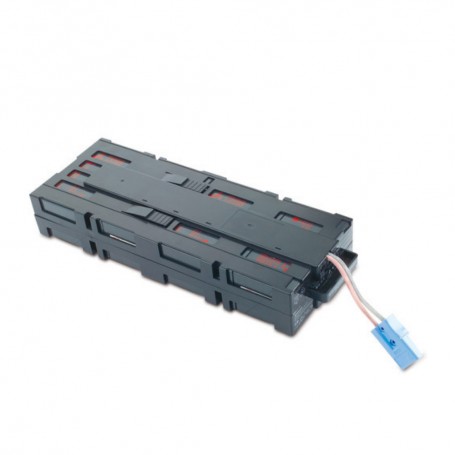
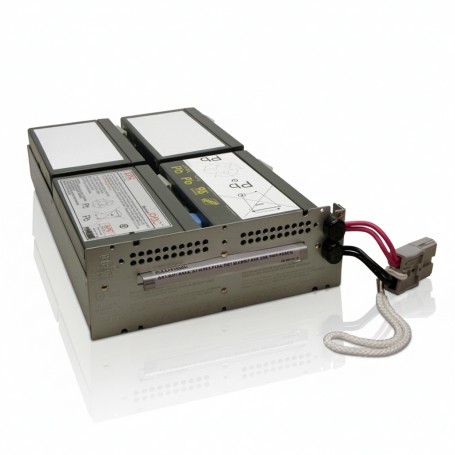
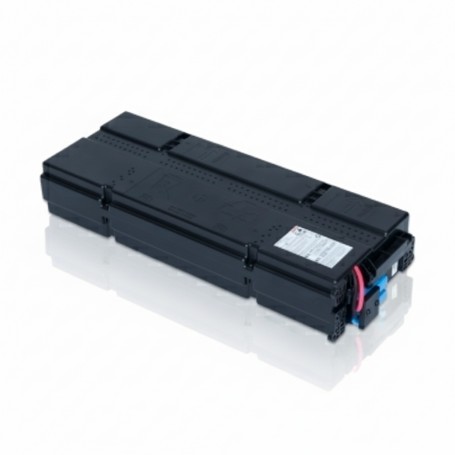
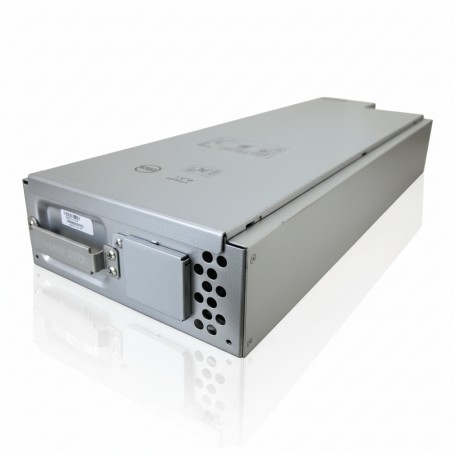
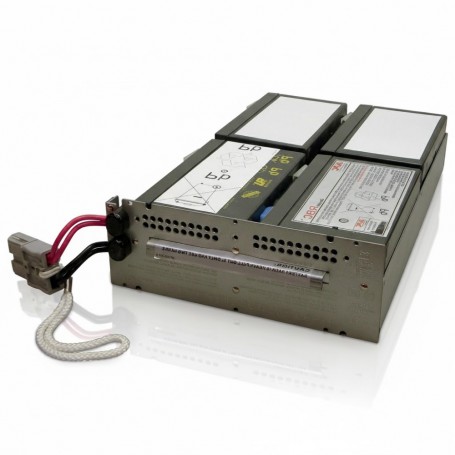
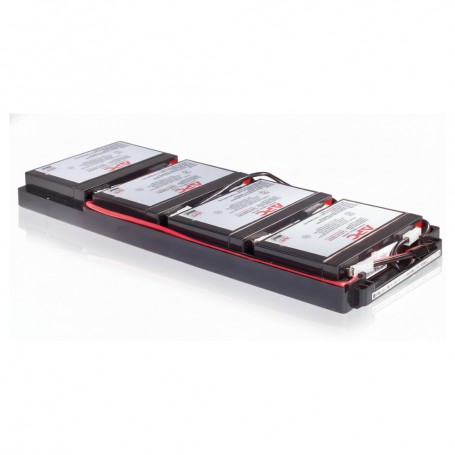
The correctÿRBC battery is identified by matching your exact UPS model to its designated APC RBC part number.
Voltage, size, or battery type alone cannot determine compatibility.
Incorrect identification leads to install issues, UPS errors, or reduced runtime.

Use Case / Deployment Fit

Relevant for:

  • Battery replacement in Smart-UPS and Back-UPS
  • Rack and tower UPS environments
  • IT teams managing multi-site UPS fleets

Use when:

  • UPS shows battery replacement alert
  • Replacing aging batteries (3?5 years)
  • Verifying compatibility before procurement

Technical Breakdown

Step 1: Locate Exact UPS Model Number

Check:

  • Rear label (e.g., SMT1500I, SUA2200RMXLI)
  • LCD interface or network management card
  • Asset inventory records

Accuracy at this step is critical.

Step 2: Use APC RBC Compatibility Mapping

Each UPS model maps to a specific RBC cartridge.

Examples:

  • SMT1500I ? RBC7
  • SUA2200RMXLI ? RBC43
  • SMT3000I ? RBC55

Always confirm through official APC documentation or compatibility charts.

Step 3: Cross-Verify with Existing Battery (If Accessible)

If the UPS has not been modified:

  • Open battery compartment
  • Check label on installed cartridge
  • Confirm RBC number matches documentation

Do not rely on this method if previous replacement history is unknown.

Step 4: Validate Electrical Configuration

Ensure the identified RBC matches:

  • Required voltage (e.g., 24V, 48V, 72V)
  • Internal battery arrangement
  • Connector type

Mismatch here can cause UPS faults.

Step 5: Confirm Physical Compatibility

Especially for rack-mounted systems:

  • Tray size and fit
  • Cable length and orientation
  • Slide-in mechanism compatibility

Physical mismatch can delay installation even with correct specs.

Step 6: Avoid Generic Substitutes

Loose or generic batteries:

  • Lack correct wiring harness
  • May not fit enclosure
  • Can trigger UPS errors

Use complete RBC cartridges for production environments.

Comparison Table (if needed)

Method Accuracy Risk
Model-based identification High Low
Existing battery check Medium Medium
Spec-based guess (voltage/size) Low High

Limitations & Trade-offs

  • Older UPS models
    Some legacy units may have discontinued RBC references
  • Previous incorrect replacements
    Installed battery may not match original specification
  • Third-party cross-references
    May not guarantee fit or lifecycle performance
  • Documentation gaps
    Missing asset records increase identification effort

Procurement Insight

  • Always procure using UPS model ? RBC mapping
  • Verify fresh manufacturing date
  • Standardize RBC types across similar UPS models
  • Maintain internal compatibility documentation
  • Avoid mixing different battery types within same environment

For multi-site IT environments, teams often align RBC identification and sourcing through distributors likeÿDC Supplies to maintain consistency and reduce compatibility errors.

Real-world Scenarios

Scenario 1: Correct Identification via Model

  • UPS: SMT1500I
  • Identified RBC: RBC7
  • Result: Quick installation, expected runtime restored

Scenario 2: Incorrect Spec-Based Selection

  • Selected battery based on voltage only
  • Result: Fitment issue + UPS alarm
  • Fix: Replaced with correct RBC

Scenario 3: Legacy UPS Without Records

  • No documentation available
  • Action: Identified via model label and APC chart
  • Result: Accurate replacement without trial-and-error

Final Recommendation

Always identify the correct RBC battery using the exact UPS model number.
Avoid guessing based on battery size or voltage.
Accurate identification ensures compatibility, proper runtime, and reliable UPS operation.
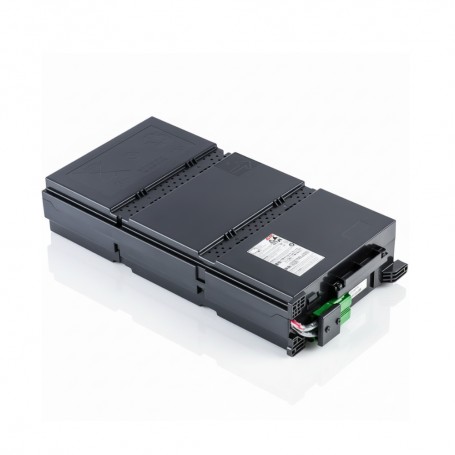
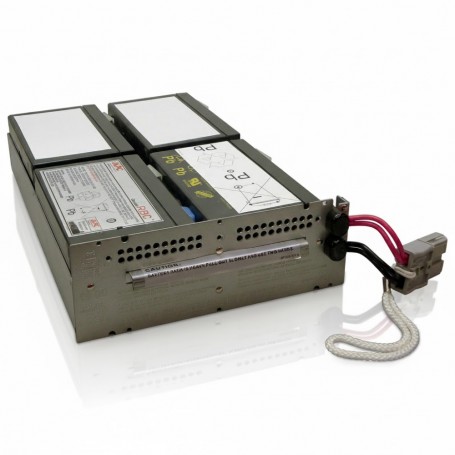
Which APC RBC Battery Do I Need? Full Replacement Guide for Businesses

Introduction

For any business, choosing the right APC replacement battery is essential to maintain uninterrupted power. Using an incompatible RBC model can shorten UPS runtime, cause unexpected shutdowns, or void warranties. Procurement officers, IT managers, and network engineers need clear guidance to select the correct part quickly and efficiently.

This guide covers all popular APC RBC batteries, including APCRBC141, APCRBC132, APCRBC115, RBC57, APCRBC157, APCRBC155, APCRBC118, APCRBC159, RBC34, RBC24, APCRBC133, and APCRBC143. You?ll find compatibility tables, performance insights, and actionable guidance to make informed purchasing decisions.


Quick Answer

Which APC RBC battery should you choose?
Check your UPS model first. Each Smart-UPS unit requires a specific RBC model. Choosing the OEM APC battery guarantees maximum runtime, maintains warranty coverage, and avoids costly downtime.

Examples:

  • Smart-UPS 1500 ? RBC57
  • Smart-UPS 1500 RM ? APCRBC141
  • Smart-UPS 2200 ? APCRBC132

APC RBC Battery Compatibility

UPS Model Compatible RBC Typical Use Case
Smart-UPS 1500 RBC57 Standard office servers and desktops
Smart-UPS 1500 RM APCRBC141 Rack-mounted office setups
Smart-UPS 2200 APCRBC132 Mid-size office racks
Smart-UPS 3000 APCRBC143 Data center rack deployment
Smart-UPS 2200 RM APCRBC157 Enterprise racks with high load
Smart-UPS 1500 XL APCRBC155 Extended runtime SMB servers
Smart-UPS 1000 APCRBC115 Small office UPS units
Smart-UPS 2200 XL APCRBC159 High-load racks
Smart-UPS 3000 RM RBC34 Large data center UPS backup
Smart-UPS 500 RBC24 Small branch office UPS
Smart-UPS 500 RM APCRBC118 Compact rack deployment
Smart-UPS 2200 RT APCRBC133 Redundant rack UPS

APCRBC141

Replacement Battery Cartridge

Genuine APC RBC for restoring UPS runtime and ensuring stable backup power performance.

APCRBC132

Replacement Battery Cartridge

OEM APC battery cartridge designed for dependable UPS backup and enterprise reliability.

APCRBC115

Replacement Battery Cartridge

Reliable APC RBC module ensuring consistent UPS performance and extended service life.

APCRBC133

Replacement Battery Cartridge

APC OEM replacement battery cartridge for stable UPS backup and mission-critical uptime.

RBC57

Replacement Battery Cartridge

Genuine APC RBC ensuring stable UPS runtime and reliable power continuity for IT systems.

APCRBC157

Replacement Battery Cartridge

APC certified battery cartridge built for dependable UPS backup and long lifecycle performance.

APCRBC155

Replacement Battery Cartridge

OEM APC RBC designed for secure UPS operation and consistent backup power delivery.

APCRBC118

Replacement Battery Cartridge

Reliable APC battery cartridge for uninterrupted UPS performance in critical environments.

APCRBC159

Replacement Battery Cartridge

APC RBC module engineered for stable UPS runtime and dependable power backup support.

RBC34

Replacement Battery Cartridge

APC replacement battery cartridge ensuring reliable UPS operation and long-term stability.

RBC24

Replacement Battery Cartridge

OEM APC battery cartridge designed for stable UPS backup and mission-critical applications.

APCRBC143

Replacement Battery Cartridge

Genuine APC RBC ensuring dependable UPS runtime and critical infrastructure protection.


SKU Performance Overview

  • APCRBC141: Smart-UPS 1500 RM, runtime ~10?15 min, ideal for medium office racks
  • APCRBC132: Smart-UPS 2200, runtime ~12?18 min, mid-size business racks
  • APCRBC115: Smart-UPS 1000, runtime ~8?12 min, small office use
  • RBC57: Smart-UPS 1500, runtime ~10 min, desktop/server setups
  • APCRBC157: Smart-UPS 2200 RM, runtime ~15?20 min, enterprise racks

Other SKUs follow similar patterns with runtime, UPS compatibility, and business use cases.


Procurement Insights

  1. When to Buy: Replace before runtime drops below 50% to avoid downtime.
  2. OEM vs Generic: OEM APC batteries maintain warranty and ensure full runtime. Generic replacements may save cost upfront but increase risk.
  3. Budget Considerations: Bulk orders reduce per-unit cost and ensure continuity across multiple UPS units.
  4. Long-Term Planning: Track replacement cycles to prevent unexpected outages and emergency labor costs.

Real-World Use Cases

  1. 25-user office: Smart-UPS 1500 with RBC57 ensures runtime for VoIP, cloud apps, and local servers.
  2. Retail branch: Smart-UPS 2200 RM with APCRBC157 supports POS systems and network switches during outages.
  3. Data center rack deployment: Smart-UPS 3000 RM with APCRBC143 ensures uninterrupted power for high-density servers.

Final Recommendation

Always choose OEM APC RBC batteries to maintain warranty and full runtime. Use the compatibility table to identify the correct battery for your UPS. Replace proactively rather than waiting for failure to avoid downtime and additional costs.

For businesses in the US or globally, ordering directly from a trusted supplier like DC Suppliesÿensures genuine OEM batteries, fast shipping, and support for bulk procurement. Secure your UPS runtime today by reviewing your units and selecting the correct RBC model.

APC Battery Replacement: When to Replace Your UPS Batteries in 2025

Introduction

If you rely on a UPS to keep servers, network gear, or workstations online, the battery is the weakest link. It silently degrades over time, and most failures happen when users assume the battery is ?still fine.? Maybe your APC unit has started beeping during outages, runtime has dropped, or the battery indicator is showing ambiguous warnings. The challenge is knowing whether your battery needs immediate replacement or if it still has safe operational life left.
This guide walks through how to monitor APC UPS battery health, interpret APC?s built-in diagnostics, and plan replacements before failures impact uptime or equipment safety.

UnderstandingÿAPCÿBattery Health

APC UPS systems use sealed lead-acid batteries that typically last 3?5 years depending on temperature, load, and charge cycles. What matters is not the calendar, but the electrical condition of the pack. Over time, internal resistance rises, runtime decreases, and the UPS may no longer support even light loads during a power drop. APC units include internal diagnostics that measure voltage, runtime, and battery impedance to estimate remaining life. Combined with APC software monitoring, you can track degradation instead of waiting for a surprise failure.

How to MonitorÿUPSÿBattery Status

1. Front-Panel Indicators

Most APC Smart-UPS units show battery condition directly on the LCD:

  • Battery capacity in bars or percentage

  • Replace Battery or Battery Fault warnings

  • Runtime estimate based on current load

A sudden drop in runtime or persistent low capacity usually indicates aging cells.

2. APC PowerChute Software

APC?s PowerChute tool provides deeper insight than the panel alone:

  • Battery health percentage

  • Load vs runtime graphs

  • Event logs for low voltage or self-test failures

  • Temperature alerts (heat drastically reduces battery life)

For rack environments, PowerChute Business Edition can notify admins automatically when test failures accumulate.

3. Network Management Card

Units with a management card offer:

  • Remote battery diagnostics

  • Scheduled self-tests

  • Email/SNMP alerts for battery degradation

  • Logging across multiple UPS devices

This is the most reliable way to track batteries in distributed or multi-rack installations.

4. Built-In Self-Tests

APC UPS models run automated self-tests periodically. If a battery fails a test twice in a row, replacement is usually overdue. You can also trigger a manual test to verify performance under controlled conditions.

Signs It?s Time to ReplaceÿAPCÿUPS Batteries

You don?t need to wait for a complete failure. Common early indicators include:

  • Noticeable reduction in runtime even at low loads

  • ?Replace Battery? warnings that reappear after manual tests

  • Audible alarms during brownouts instead of immediate switchover

  • Batteries older than 3 years in warm environments

  • Swelling or visible deformation (for removable packs)

  • Unit failing self-tests or extending charge cycles unusually long

If two or more indicators appear, replacement should be scheduled immediately.

How to Plan YourÿBattery Replacement Window

A proactive approach prevents outages and protects hardware:

  • Replace batteries every 3?5 years, depending on temperature and usage

  • For server rooms above 77øF (25øC), shorten the replacement cycle

  • Document installation dates for each UPS

  • Pair battery replacement with preventive maintenance on fans and filters

  • Keep at least one spare battery kit on-site for critical racks

APC replacement battery cartridges (RBCs) are engineered to match charging profiles and internal resistance expectations of each UPS model, ensuring proper runtime and safe operation.

Real-World Use Cases

Small Office (Firewall + Switch + ISP CPE)
A compact UPS starts showing reduced runtime after two years due to constant high temperature near networking gear. PowerChute logs reveal repeated self-test failures. A scheduled battery swap prevents downtime during peak hours.

Data Closet in a School or Clinic
APC rack UPS units with network cards track battery cycles for multiple closets. Admins receive early warnings and plan replacements during maintenance windows rather than reacting to unexpected failures.

Design Agency With High-Load Workstations
Users notice their UPS units shut off abruptly during short outages. Diagnostics show aged batteries with high internal resistance. Replacing the cartridges restores several minutes of safe shutdown time during power drops.

Expert Recommendation

If your UPS protects servers, storage, or VoIP systems, monitor battery health monthly and schedule replacements before runtime becomes unpredictable. For smaller offices with desktop UPS units, use APC?s built-in diagnostics or PowerChute to check for warning signs rather than waiting for alarms. When runtime begins to drop or the UPS fails back-to-back self-tests, replacing batteries promptly is usually cheaper ? and far safer ? than dealing with the fallout from unexpected shutdowns.

Final Summary

APC UPS batteries don?t fail suddenly; they show clear warning signs if you know where to look. Monitoring with APC tools, understanding battery wear patterns, and planning replacements on a 3?5-year cycle ensures reliable protection for business-critical systems.