
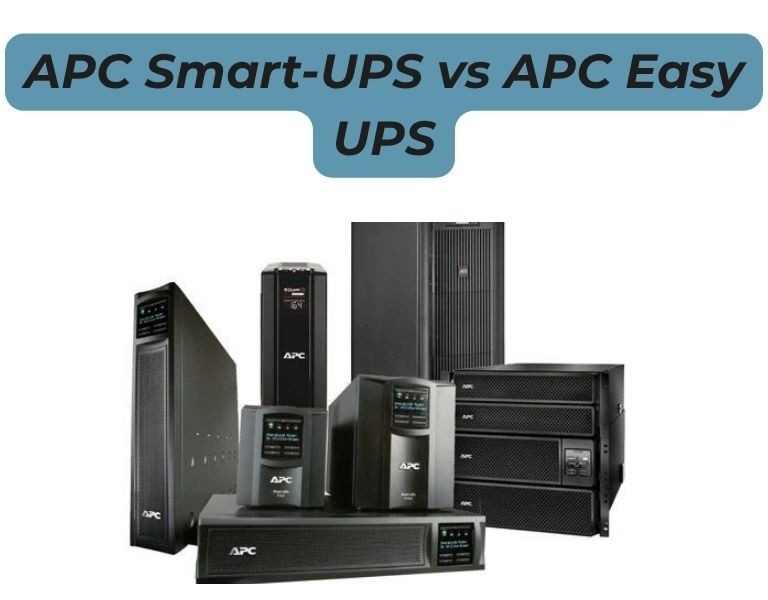
Introduction
If you’re deciding between APC Smart-UPS and Easy UPS for a business environment, this is not a close comparison. Smart-UPS is designed for servers and critical infrastructure, while Easy UPS is built for basic power backup. The difference shows up in power quality, runtime control, and long-term reliability. For most SMB and enterprise deployments, choosing the wrong line leads to downtime risk?not just cost savings.
Which one should you choose?
Choose Smart-UPS for any server or critical workload.
Choose Easy UPS only for basic networking or non-critical devices.
Compared Modelsÿ
Product Comparison Table
| Attribute | APC Smart-UPS SMT1500C | APC Easy UPS SMV1500 | APC Smart-UPS SMT2200RM2U | APC Easy UPS SRV2000 |
|---|---|---|---|---|
| Target Use | Servers / IT | Basic office | Server racks | Entry critical load |
| Output Waveform | Pure sine wave | Simulated / varies | Pure sine wave | Pure sine (online) |
| Topology | Line-interactive | Line-interactive | Line-interactive | Online (double conversion) |
| Runtime Control | Predictable | Limited | Expandable | Expandable |
| Battery Expansion | Limited / optional | No | Yes | Yes |
| Management | Advanced (SNMP, shutdown) | Basic | Advanced | Moderate |
| Reliability | High (enterprise use) | Moderate | High | Moderate?High |
| Price Range | $$ | $ | $$$ | $$?$$$ |
| Best Use Case | SMB servers | PCs / switches | Multi-server racks | Small critical loads |
Technical Breakdown
Smart-UPS (What businesses actually need)
- Pure sine wave output?required for modern server PSUs
- Designed for servers, storage, and network infrastructure
- Predictable runtime and graceful shutdown support (PowerChute)
- Advanced monitoring (SmartConnect, SNMP options)
Reality in deployment:
- Stable under continuous load
- Handles mixed IT environments (servers + switches + firewalls)
- Industry standard for SMB and enterprise racks
Easy UPS (Where it actually fits)
- Lower-cost entry-level UPS
- Often simulated sine wave (varies by model)
- Limited runtime and expansion
- Basic management
Reality in deployment:
- Works fine for desktops, routers, and small offices
- Not designed for sustained server loads
- Limited control during shutdown scenarios
Pros and Cons
Smart-UPS
Pros
- Reliable for production server environments
- Clean power output (protects hardware)
- Predictable runtime + shutdown integration
- Long lifecycle with battery replacement
Cons
- Higher upfront cost
- Network management card may be optional
Easy UPS
Pros
- Lower cost
- Simple deployment
- Suitable for basic office equipment
Cons
- Not ideal for servers
- Limited runtime control
- Lower power quality
- No real scalability
Procurement Insight
- If your workload includes servers, virtualization, or storage, Smart-UPS is not optional?it?s required.
- Easy UPS is only justified when protecting non-critical devices like routers or small office setups.
- The cost difference is minor compared to the risk of downtime or hardware damage.
- For growing businesses, Smart-UPS reduces long-term risk and avoids early replacement.
If you’re sourcingÿAPC UPS systems in the US, suppliers likeÿDC Supplies typically stock both Smart-UPS and Easy UPS models, which helps standardize deployments across branches.
Real-World Use Cases
Office (25?50 users)
- Smart-UPS 1500VA ? server + firewall + switches
- Easy UPS ? backup for non-critical endpoints
Multi-branch business
- Smart-UPS at each site
- Centralized shutdown and consistent runtime
Server rack / small data room
- Smart-UPS 2200?3000VA
- Easy UPS not suitable for this scenario
Final Recommendation
Choose Smart-UPS if you are running anything business-critical.
Choose Easy UPS only for low-risk environments where downtime is acceptable.
Avoid using Easy UPS for servers?it introduces operational risk that outweighs the cost savings.