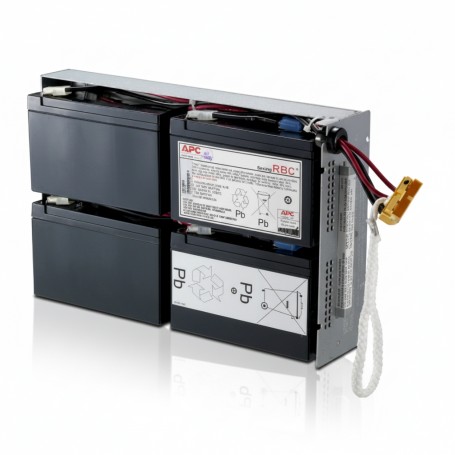
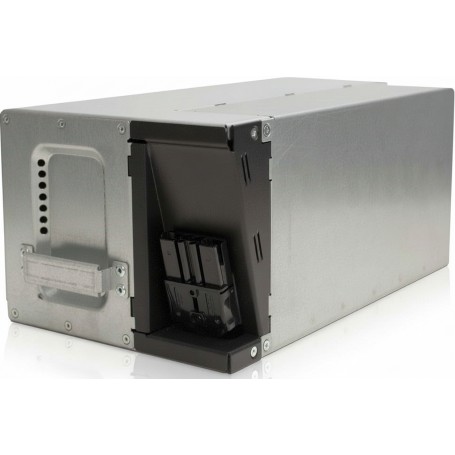
How to Choose the Right APC UPS for Business (SMB vs Enterprise)

Introduction

If you’re selecting an APC UPS for business use, the decision mainly depends on your load size, uptime requirements, and infrastructure scale. SMB environments typically need cost-effective backup for basic IT equipment, while enterprise environments require high-availability systems with scalable power protection and remote monitoring.

Choosing the wrong UPS can either lead to overspending or critical downtime risk.


Use Case & Deployment Fit

SMB Use Case

  • Small offices (10?50 users)
  • Basic servers or NAS systems
  • Network routers and switches
  • Retail or branch environments

Enterprise Use Case

  • Data centers
  • Virtualized server environments
  • Multi-rack infrastructure
  • Mission-critical IT systems

SMB setups prioritize simplicity and cost efficiency, while enterprise environments focus on uptime, redundancy, and scalability.


Technical Breakdown

Key factors that determine APC UPS selection:

  • Power capacity (VA/Watt requirement based on load)
  • UPS topology (line-interactive vs online double conversion)
  • Runtime requirements during outages
  • Scalability with external battery packs
  • Remote monitoring and network management support

Enterprise-grade UPS systems provide cleaner power output and zero transfer time, making them suitable for sensitive infrastructure.


Comparison Table

Feature SMB UPS Enterprise UPS
Performance Basic protection Continuous power conditioning
Reliability Standard uptime High availability
Scalability Limited Modular expansion
Power Capacity Low?mid range High capacity
Management Local monitoring SNMP / remote control
Use Case Offices Data centers

Limitations & Trade-Offs

SMB UPS Limitations

  • Limited runtime expansion
  • Basic monitoring features
  • Not suitable for high-density loads

Enterprise UPS Limitations

  • Higher cost
  • Requires infrastructure planning
  • More complex deployment and maintenance

Procurement Insight

SMB UPS systems should be selected when cost efficiency and basic protection are priorities. They are ideal for offices with non-critical workloads.

Enterprise UPS systems are required when downtime directly impacts business operations, revenue, or service availability.

Long-term, enterprise systems reduce risk but require higher upfront investment.


Real-World Scenarios

Small Office Setup

A 20?40 user office running PCs, networking devices, and a small server can rely on SMB APC UPS systems for stable backup power.

Growing Business Environment

Multi-branch businesses with shared applications require mid-range Smart-UPS systems with remote monitoring.

Data Center Deployment

Virtualized servers, storage arrays, and critical workloads require enterprise APC UPS systems with redundancy and scalability.


Final Recommendation

Choose SMB APC UPS if your environment is small, cost-sensitive, and non-critical.
Choose Enterprise APC UPS if uptime, scalability, and infrastructure reliability are business-critical.


Internal Note

For businesses sourcing APC UPS systems in the US market, distributors like DC Supplies typically support a wide range of SMB and enterprise-grade power infrastructure solutions.
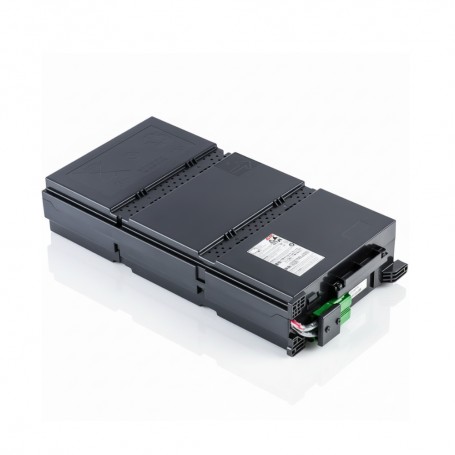
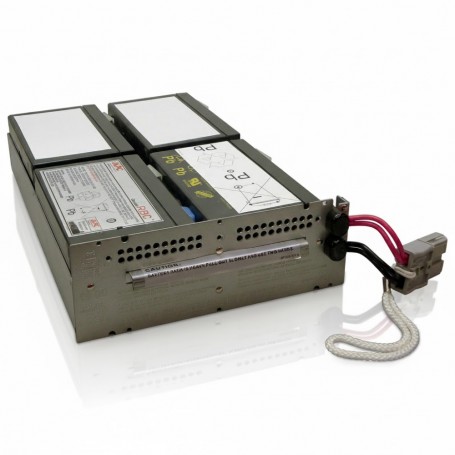
Which APC RBC Battery Do I Need? Full Replacement Guide for Businesses

Introduction

For any business, choosing the right APC replacement battery is essential to maintain uninterrupted power. Using an incompatible RBC model can shorten UPS runtime, cause unexpected shutdowns, or void warranties. Procurement officers, IT managers, and network engineers need clear guidance to select the correct part quickly and efficiently.

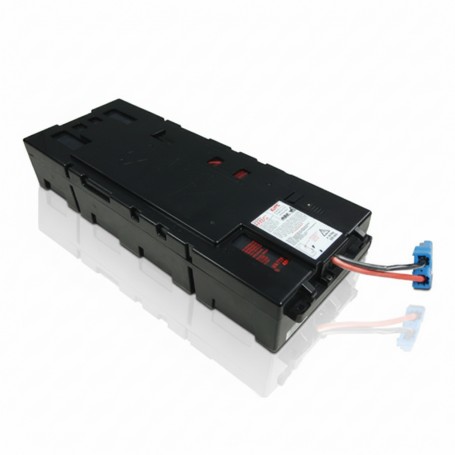
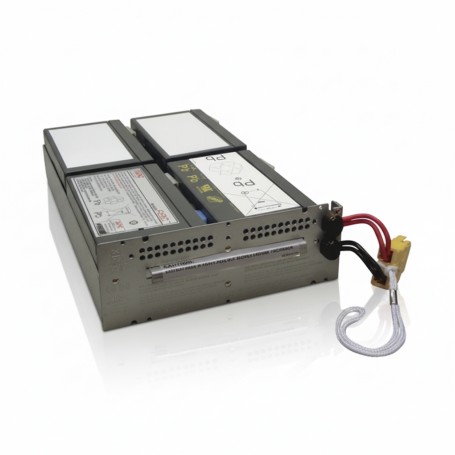
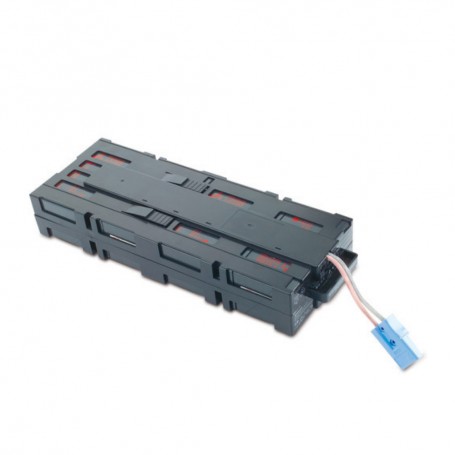
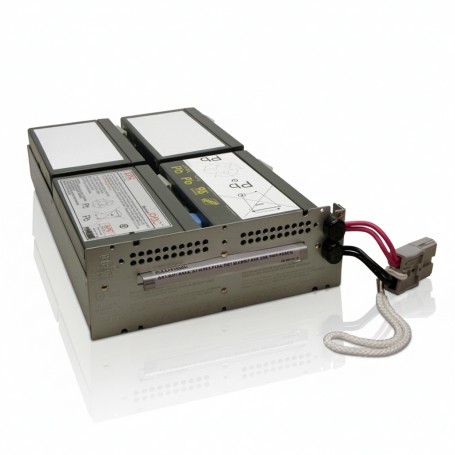
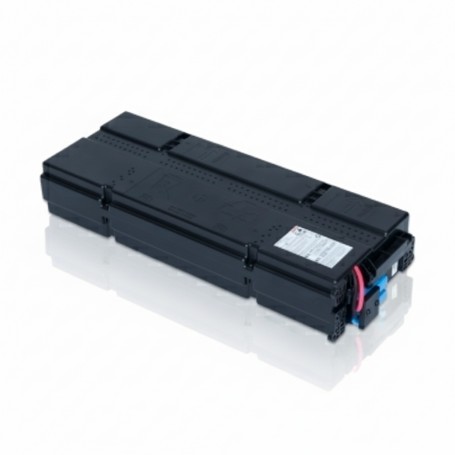
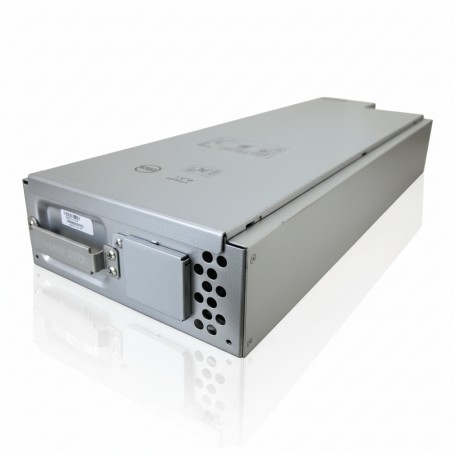
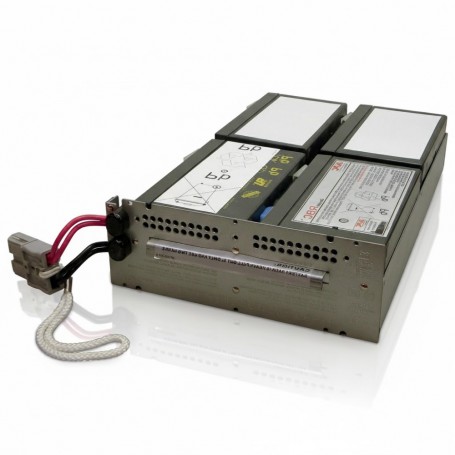
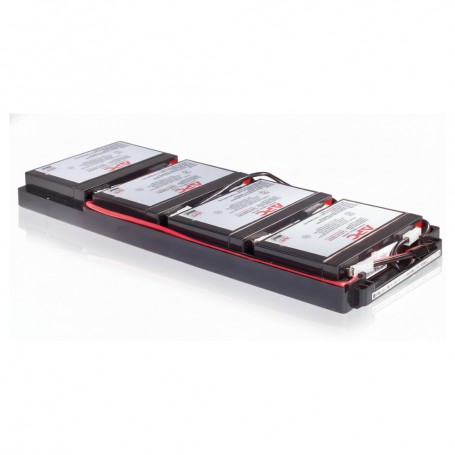
This guide covers all popular APC RBC batteries, including APCRBC141, APCRBC132, APCRBC115, RBC57, APCRBC157, APCRBC155, APCRBC118, APCRBC159, RBC34, RBC24, APCRBC133, and APCRBC143. You?ll find compatibility tables, performance insights, and actionable guidance to make informed purchasing decisions.


Quick Answer

Which APC RBC battery should you choose?
Check your UPS model first. Each Smart-UPS unit requires a specific RBC model. Choosing the OEM APC battery guarantees maximum runtime, maintains warranty coverage, and avoids costly downtime.

Examples:

  • Smart-UPS 1500 ? RBC57
  • Smart-UPS 1500 RM ? APCRBC141
  • Smart-UPS 2200 ? APCRBC132

APC RBC Battery Compatibility

UPS Model Compatible RBC Typical Use Case
Smart-UPS 1500 RBC57 Standard office servers and desktops
Smart-UPS 1500 RM APCRBC141 Rack-mounted office setups
Smart-UPS 2200 APCRBC132 Mid-size office racks
Smart-UPS 3000 APCRBC143 Data center rack deployment
Smart-UPS 2200 RM APCRBC157 Enterprise racks with high load
Smart-UPS 1500 XL APCRBC155 Extended runtime SMB servers
Smart-UPS 1000 APCRBC115 Small office UPS units
Smart-UPS 2200 XL APCRBC159 High-load racks
Smart-UPS 3000 RM RBC34 Large data center UPS backup
Smart-UPS 500 RBC24 Small branch office UPS
Smart-UPS 500 RM APCRBC118 Compact rack deployment
Smart-UPS 2200 RT APCRBC133 Redundant rack UPS

APCRBC141

Replacement Battery Cartridge

Genuine APC RBC for restoring UPS runtime and ensuring stable backup power performance.

APCRBC132

Replacement Battery Cartridge

OEM APC battery cartridge designed for dependable UPS backup and enterprise reliability.

APCRBC115

Replacement Battery Cartridge

Reliable APC RBC module ensuring consistent UPS performance and extended service life.

APCRBC133

Replacement Battery Cartridge

APC OEM replacement battery cartridge for stable UPS backup and mission-critical uptime.

RBC57

Replacement Battery Cartridge

Genuine APC RBC ensuring stable UPS runtime and reliable power continuity for IT systems.

APCRBC157

Replacement Battery Cartridge

APC certified battery cartridge built for dependable UPS backup and long lifecycle performance.

APCRBC155

Replacement Battery Cartridge

OEM APC RBC designed for secure UPS operation and consistent backup power delivery.

APCRBC118

Replacement Battery Cartridge

Reliable APC battery cartridge for uninterrupted UPS performance in critical environments.

APCRBC159

Replacement Battery Cartridge

APC RBC module engineered for stable UPS runtime and dependable power backup support.

RBC34

Replacement Battery Cartridge

APC replacement battery cartridge ensuring reliable UPS operation and long-term stability.

RBC24

Replacement Battery Cartridge

OEM APC battery cartridge designed for stable UPS backup and mission-critical applications.

APCRBC143

Replacement Battery Cartridge

Genuine APC RBC ensuring dependable UPS runtime and critical infrastructure protection.


SKU Performance Overview

  • APCRBC141: Smart-UPS 1500 RM, runtime ~10?15 min, ideal for medium office racks
  • APCRBC132: Smart-UPS 2200, runtime ~12?18 min, mid-size business racks
  • APCRBC115: Smart-UPS 1000, runtime ~8?12 min, small office use
  • RBC57: Smart-UPS 1500, runtime ~10 min, desktop/server setups
  • APCRBC157: Smart-UPS 2200 RM, runtime ~15?20 min, enterprise racks

Other SKUs follow similar patterns with runtime, UPS compatibility, and business use cases.


Procurement Insights

  1. When to Buy: Replace before runtime drops below 50% to avoid downtime.
  2. OEM vs Generic: OEM APC batteries maintain warranty and ensure full runtime. Generic replacements may save cost upfront but increase risk.
  3. Budget Considerations: Bulk orders reduce per-unit cost and ensure continuity across multiple UPS units.
  4. Long-Term Planning: Track replacement cycles to prevent unexpected outages and emergency labor costs.

Real-World Use Cases

  1. 25-user office: Smart-UPS 1500 with RBC57 ensures runtime for VoIP, cloud apps, and local servers.
  2. Retail branch: Smart-UPS 2200 RM with APCRBC157 supports POS systems and network switches during outages.
  3. Data center rack deployment: Smart-UPS 3000 RM with APCRBC143 ensures uninterrupted power for high-density servers.

Final Recommendation

Always choose OEM APC RBC batteries to maintain warranty and full runtime. Use the compatibility table to identify the correct battery for your UPS. Replace proactively rather than waiting for failure to avoid downtime and additional costs.

For businesses in the US or globally, ordering directly from a trusted supplier like DC Suppliesÿensures genuine OEM batteries, fast shipping, and support for bulk procurement. Secure your UPS runtime today by reviewing your units and selecting the correct RBC model.

Eaton SRW15US Review: Wall-Mount Rack for SMB Networks

Introduction

When you?re building a small server room, wiring closet, or retail network setup, space is usually the first problem. You don?t always need a full floor-standing rack?sometimes a wall-mounted enclosure is the more practical and cost-effective option.

That?s where the Eaton SRW15US comes in. It?s designed for IT setups where you need secure, organized, and space-efficient rack mounting without taking up floor space.

In this review, we?ll break down how it performs in real deployments, what buyers should consider, and whether it makes sense for your infrastructure.


What the Eaton SRW15US Is Designed For

The SRW15US is a 15U wall-mounted rack enclosure built for standard 19-inch rack equipment like switches, patch panels, and small servers.

Key design intent:

  • Wall-mounted to save floor space
  • Supports up to 200 lbs (?90 kg) of equipment
  • Designed for network closets, offices, retail, and classrooms
  • Swing-out frame for easy rear access

This is not a data center rack?it?s a distributed IT deployment rack, where space, access, and security matter more than high-density scaling.


Build Quality and Design

From a procurement perspective, build quality is one of the first things evaluated.

The SRW15US is built with:

  • Heavy-duty steel construction
  • Locking doors and side panels
  • Powder-coated black finish
  • Reversible front door (left/right opening)

The key engineering advantage is the hinged swing-out design, which allows the entire rack to pivot away from the wall. This makes:

  • Cable management easier
  • Maintenance faster
  • Rear access possible without dismantling equipment

The rack supports adjustable mounting rails and fits equipment up to ~20.5 inches deep .


Airflow and Cooling

Cooling is a critical factor in enclosed racks.

The SRW15US uses:

  • Ventilated front, top, bottom, and side panels
  • Flow-through airflow design
  • Optional fan mounting support

This setup is suitable for:

  • Switches
  • Patch panels
  • Low-power servers

However, for high-density or high-heat environments, you may need:

  • Additional rack fans
  • Active cooling strategy

Installation and Accessibility

From an installation standpoint, this rack is procurement-friendly:

  • Comes mostly pre-assembled
  • Wall-mount bracket included
  • Adjustable depth rails
  • Hinged access for cabling and maintenance

The swing-out frame is the biggest advantage?it eliminates the need to pull equipment out for servicing.

This is particularly useful for:

  • IT technicians working in tight spaces
  • Branch office deployments
  • Retail or classroom environments

Security and Cable Management

For B2B buyers, security is not optional.

The SRW15US provides:

  • Locking doors and panels
  • Enclosed steel design
  • Secure mounting for sensitive equipment

Cable management features include:

  • Top and bottom cable routing
  • Rear access via swing-out frame
  • Structured rail mounting for organized wiring

This makes it suitable for environments where:

  • Unauthorized access must be prevented
  • Clean cabling is required for audits or compliance

Pros and Cons

Pros

  • Wall-mounted design saves floor space
  • Hinged swing-out access improves maintenance
  • Strong steel construction with 200 lb capacity
  • Good ventilation for standard networking gear
  • Locking system improves physical security

Cons

  • Not suitable for high-density or large data center setups
  • Limited to 15U capacity
  • Cooling may require additional fans in heavier loads
  • Wall mounting requires proper structural support

Best Use Cases

The SRW15US is best suited for:

Small Office / SMB Networks

  • Switches
  • Patch panels
  • Firewall appliances

Retail & Branch Locations

  • Secure network enclosure in limited space
  • Compact IT deployments

Network Closets & Wiring Rooms

  • Structured cabling setups
  • Organized equipment housing

Education & Commercial Spaces

  • Classrooms
  • Office environments
  • Small IT rooms

When You Should Choose a Different Rack

This rack is not ideal if you need:

  • High-density server environments
  • Heavy enterprise infrastructure
  • Large-scale data center deployments
  • Equipment exceeding 200 lbs total load

In those cases, a full-size floor rack is a better choice.


Expert Recommendation

From a procurement standpoint, the SRW15US is a solid, practical choice for distributed IT environments.

  • Choose it if you need space efficiency + security + easy access
  • Avoid it if your setup requires scalability, heavy load capacity, or deep racks

If your deployment is:

  • Small office networking
  • Branch infrastructure
  • Retail IT setup

Then this rack fits well into a cost-effective, scalable architecture.


Final Summary

The Eaton SRW15US is a well-built, space-saving wall-mount rack designed for small to mid-sized IT deployments. Its strength lies in accessibility, airflow, and security, making it a strong fit for network closets and branch environments.

It?s not meant to replace enterprise racks?but in the environments it targets, it performs exactly as expected: reliable, practical, and easy to work with.

Top 10 APC Rack PDUs for Data Centers & Enterprise Racks (2026 Guide)

Choosing the right Power Distribution Unit (PDU) is critical for maintaining uptime, improving power management, and ensuring safe load distribution inside server racks. Whether you operate a small network closet or a large enterprise data center, selecting the correct APC rack PDU helps optimize energy usage, prevent overloads, and support scalable IT infrastructure.

APC by Schneider Electric is one of the most trusted names in rack power distribution. Their PDUs are widely used across data centers, telecom environments, healthcare facilities, managed service providers (MSPs), and enterprise server rooms.

In this guide, we cover the top 10 APC rack PDU models that offer reliable performance, efficient rack integration, and enterprise-grade power management.


Quick Comparison Overview

Model Type Amperage Voltage Best For
AP9559 Basic 20A 120V Standard rack power distribution
AP9567 Basic 30A 208V High-load rack environments
AP9563 Basic 30A 120V Network/server racks
AP9564 Basic 30A 208V High-density deployments
AP7530 Metered 20A 120V Load monitoring
AP7540 Metered 30A 208V Data center monitoring
AP7563 Metered 30A 120V Enterprise racks
AP9571A Basic 30A 208V Vertical rack distribution
AP7554 Metered 30A 208V Advanced monitoring
AP8861 Switched 20A 120V Remote outlet control

1. APC AP9559 Rack PDU

The APC AP9559 is a reliable basic rack PDU designed for standard server and networking racks requiring dependable 120V power distribution.

Key Features:

  • 20A capacity

  • 120V input

  • Multiple NEMA outlets

  • Vertical rackmount design

  • Durable metal housing

Ideal For:
Small to mid-size IT environments that need stable power distribution without advanced monitoring.


2. APC AP9567 Rack PDU

The AP9567 supports higher load requirements and is commonly used in 208V rack deployments.

Key Features:

  • 30A capacity

  • 208V support

  • High-density outlet configuration

  • Rack-optimized installation

Ideal For:
Enterprise environments with heavier equipment loads and dual-voltage infrastructure.


3. APC AP9563 Rack PDU

A strong option for 120V environments requiring higher amperage capacity.

Key Features:

  • 30A

  • 120V input

  • Reliable branch circuit distribution

  • Vertical rack installation

Ideal For:
Network cabinets and IT rooms handling moderate-to-heavy server loads.


4. APC AP9564 Rack PDU

Designed for high-density racks operating at 208V, the AP9564 supports scalable enterprise environments.

Key Features:

  • 30A

  • 208V

  • Efficient rack space utilization

  • Rugged construction

Ideal For:
Data centers needing dependable high-voltage distribution.


5. APC AP7530 Metered Rack PDU

The AP7530 adds power monitoring capabilities, allowing administrators to track load levels in real time.

Key Features:

  • 20A, 120V

  • Built-in metering display

  • Load monitoring

  • Vertical mount

Ideal For:
Organizations that require visibility into rack power usage to prevent overloads.


6. APC AP7540 Metered Rack PDU

The AP7540 supports 208V deployments with metered monitoring functionality.

Key Features:

  • 30A

  • 208V

  • Real-time load monitoring

  • Data center-ready design

Ideal For:
High-demand racks requiring continuous power usage visibility.


7. APC AP7563 Metered Rack PDU

A 30A 120V metered solution that combines reliability with monitoring.

Key Features:

  • 30A

  • 120V

  • LED load display

  • Vertical rack installation

Ideal For:
Enterprise racks that require active power tracking.


8. APC AP9571A Rack PDU

The AP9571A is a dependable 208V rack PDU suitable for vertical rack integration.

Key Features:

  • 30A

  • 208V

  • Durable metal enclosure

  • Efficient outlet distribution

Ideal For:
High-performance server racks in enterprise settings.


9. APC AP7554 Metered Rack PDU

The AP7554 provides enhanced load monitoring for advanced power management strategies.

Key Features:

  • 30A

  • 208V

  • Metered power monitoring

  • Rack-optimized form factor

Ideal For:
Data centers seeking improved operational control.


10. APC AP8861 Switched Rack PDU

The AP8861 is a switched rack PDU that enables remote outlet-level control, making it ideal for remote IT management.

Key Features:

  • 20A

  • 120V

  • Remote outlet control

  • Network management capability

  • Advanced power cycling

Ideal For:
Managed service providers and distributed IT environments that require remote reboot and control functionality.


How to Choose the Right APC Rack PDU

When selecting an APC PDU, consider:

1. Amperage Requirements

Calculate total rack load and ensure the PDU supports required amperage without exceeding 80% load capacity.

2. Voltage Compatibility

Verify whether your infrastructure operates at 120V or 208V.

3. Monitoring Needs

  • Basic PDU ? Simple distribution

  • Metered PDU ? Load monitoring

  • Switched PDU ? Remote outlet control

4. Rack Space

Vertical (0U) PDUs maximize usable rack space.


Final Thoughts

Selecting the correct APC rack PDU improves uptime, prevents overload risks, and enhances operational efficiency. Whether you need basic distribution or advanced remote management, these top APC PDU models offer reliable solutions for enterprise and data center environments.

For pricing, availability, and bulk inquiries, always ensure you work with an authorized APC reseller to guarantee genuine products and manufacturer-backed support.

FAQs

1?? What is an APC PDU used for?

An APC PDU distributes reliable power to multiple rack-mounted devices in data centers and server rooms, ensuring safe and organized power management.

2?? What is the difference between Basic and Metered APC PDU?

Basic APC PDUs provide simple power distribution, while Metered APC PDUs display real-time load levels to help prevent overload and improve power planning.

3?? Which APC PDU is best for high-density racks?

For high-density racks, metered or switched models like AP8861 or AP7554 are ideal because they offer load monitoring and remote management capabilities.

4?? How do I choose the right APC PDU for my rack?

Choose based on input voltage (120V/208V/230V), outlet type (C13/C19), amperage, rack size, and whether you need monitoring or remote switching.

5?? Are APC PDUs compatible with standard server racks?

Yes, most APC PDUs are designed for standard 19-inch racks and are available in vertical (0U) and horizontal mounting options.

APC Batteries: Types, Uses, Business Applications & How to Choose the Right One

When most businesses invest in a UPS system, they focus on the hardware. The battery is usually an afterthought ? until runtime drops or a power outage exposes a weak link.

APC batteries are not universal. Different UPS models require specific battery cartridges, chemistries, and configurations. Choosing the wrong one can affect runtime, safety, and warranty coverage.

This guide explains the major types of APC batteries, where they?re used, and how businesses typically deploy them in real-world environments.


Why APC Battery Choice Matters

In a small office, a failing battery might mean a few minutes of downtime.
In a server room, it can mean corrupted storage arrays, interrupted backups, and lost transactions.

APC designs batteries specifically for:

  • Smart-UPS rack systems

  • Tower UPS systems

  • Symmetra modular systems

  • Data center infrastructure

  • Edge computing deployments

Each has different capacity, runtime expectations, and replacement cycles.


Major Types of APC Batteries

Below is a structured breakdown in Excel-style format for clarity.

APC Battery Type Example Models Battery Chemistry Used In Typical Business Use Key Benefit Replacement Cycle
Replacement Battery Cartridges (RBC) RBC7, RBC43, RBC55 Sealed Lead Acid (VRLA) Smart-UPS, Back-UPS SMB offices, server racks Pre-assembled, plug & play 3?5 years
Extended Runtime Battery Packs SRT192RMBP, SRT192BP VRLA Smart-UPS SRT Series Data centers, critical systems Increased runtime 3?5 years
Lithium-Ion Batteries SRTL models Lithium-ion Smart-UPS Lithium models High-density IT racks Longer life, lighter weight 8?10 years
Symmetra Modular Batteries SYBTU1-PLP VRLA modular Symmetra PX/LX Enterprise data centers Hot-swappable modules 3?4 years
External Battery Frames SYAXR9B9I VRLA Large-scale systems Industrial & enterprise Scalable runtime 3?5 years

1. APC Replacement Battery Cartridges (RBC)

These are the most common type businesses replace.

Example: RBC7 is widely used in older Smart-UPS 1500 models found in small server racks.

Where they?re used:

  • Small IT closets

  • Retail POS systems

  • Network switches

  • NAS storage

Why businesses like them:
They are factory-sealed, come pre-wired, and reduce installation mistakes. You remove the old cartridge, slide the new one in, and you’re done.


2. Extended Runtime Battery Packs

When runtime matters more than just graceful shutdown, extended battery packs come into play.

Used in:

  • Healthcare IT

  • Financial institutions

  • Manufacturing control rooms

Example:
A business running virtualization clusters may need 30?45 minutes of runtime instead of 8?10 minutes. Extended battery modules connected to Smart-UPS SRT models solve that problem.


3. Lithium-Ion APC Batteries

Lithium-based UPS systems are becoming more common in 2026.

Why?

  • Lower weight

  • Longer lifecycle

  • Better performance in higher temperatures

Used in:

  • Edge data centers

  • Modern IT deployments

  • Businesses that want lower long-term maintenance

Although initial cost is higher, lifecycle cost is often lower due to reduced replacement frequency.


4. Symmetra Modular Batteries

These are enterprise-level solutions.

Used in:

  • Large hospitals

  • Telecom facilities

  • Data centers

The modular design allows hot-swapping battery units without shutting down the entire system.

For mission-critical environments, that matters.


Lead-Acid vs Lithium Comparison

Feature Lead Acid (VRLA) Lithium-Ion
Cost Lower upfront Higher upfront
Lifespan 3?5 years 8?10 years
Weight Heavy Lightweight
Maintenance Regular replacement Minimal
Best For SMB, budget setups High-density IT

Common Business Mistakes When Replacing APC Batteries

  1. Buying generic non-APC cartridges

  2. Ignoring firmware compatibility

  3. Replacing cells instead of full cartridges

  4. Delaying replacement beyond 5 years

  5. Using incorrect RBC model

These mistakes often cause runtime instability or warranty issues.


Where Businesses Buy Genuine APC Batteries

APC batteries should be purchased from trusted and authorized resellers to ensure warranty validation and product authenticity.

Many IT teams prefer sourcing from authorized APC suppliers rather than marketplace listings to avoid:

  • Grey market inventory

  • Expired stock

  • Warranty complications

DC Supplies is a trusted APC supplier and authorized reseller in the USA that carries a wide range of APC batteries including RBC cartridges, extended runtime packs, and lithium UPS models. Businesses often choose established suppliers like DC Supplies for reliable inventory, competitive pricing, and faster fulfillment when battery replacement becomes urgent.


How to Identify the Correct APC Battery

To find the right battery:

  1. Check UPS model number

  2. Check existing battery cartridge number

  3. Verify compatibility with manufacturer documentation

  4. Confirm production date

If unsure, consult an authorized reseller with experience in APC infrastructure products.


Final Thoughts

APC batteries are not one-size-fits-all.
Choosing the correct cartridge or battery module ensures:

  • Stable runtime

  • Equipment protection

  • Warranty compliance

  • Reduced downtime

Whether replacing a Smart-UPS battery in a small office or maintaining modular power in a data center, selecting the right APC battery makes the difference between protection and risk.

Where to Buy APC Smart-UPS in 2026 (A Practical Buyers Guide)

Power reliability is no longer optional. Whether you?re running a small server room, a growing IT environment, or a home lab that actually matters, APC Smart-UPS systems remain one of the safest choices in 2026. The bigger question today is not which APC Smart-UPS to buy, but where to buy it from without overpaying or risking warranty issues.

This guide breaks it down clearly, based on how businesses actually buy APC equipment today.


Why APC Smart-UPS Still Makes Sense in 2026

APC Smart-UPS models continue to be widely used for one simple reason: they are designed for real workloads, not just power backup on paper.

What matters most in 2026:

  • Stable sine-wave output for modern power supplies

  • Predictable battery runtime under load

  • Network management and monitoring support

  • Long-term firmware and warranty backing

Smart-UPS models are built for servers, storage, network gear, and business-critical systems. They are not designed to power high-draw desktops or gaming rigs, and understanding that distinction avoids a lot of buyer regret.


The Real Risk When Buying APC Smart-UPS Online

Most issues buyers face are not product related. They come from the source.

Common problems seen in the market:

  • Refurbished units sold as new

  • Grey-market imports with no manufacturer support

  • Missing accessories or incorrect SKUs

  • No help when battery or firmware issues arise

In 2026, warranty validation and firmware access still depend heavily on buying through proper channels. This is why the seller matters almost as much as the UPS itself.


Where Businesses Actually Buy APC Smart-UPS

There are three main options buyers consider today:

1. Large Marketplaces

These can be convenient, but listings are often mixed between new, open-box, and refurbished inventory. Verifying authorization and warranty coverage usually takes extra effort.

2. Direct Manufacturer Channels

Good for large enterprise contracts, but not always ideal for SMBs due to pricing, lead times, or limited stock flexibility.

3. Specialized IT & Power Equipment Resellers

This is where most SMBs and IT teams land in 2026. Authorized resellers that focus on power, racks, and infrastructure usually provide better SKU accuracy, faster fulfillment, and clearer warranty handling.

This is also where buyers often find more competitive pricing, especially on Smart-UPS models that move in volume.


What to Look for in a Trusted APC Smart-UPS Seller

Before placing an order, experienced buyers usually check for:

  • Clear confirmation of new, factory-sealed units

  • Authorization status for APC products

  • Accurate product pages with correct part numbers

  • Real stock visibility, not just backorder listings

  • Support that understands power sizing and load planning

Vendors that work daily with UPS, PDUs, and rack equipment tend to avoid the common mistakes that general retailers make.


Pricing and Service Expectations in 2026

APC pricing is more stable than it was a few years ago, but discounts still exist if you know where to look. Authorized resellers often run competitive pricing due to volume purchasing and direct distribution access.

Fast shipping also matters more than ever. Many buyers are replacing aging UPS units under time pressure, not planning months in advance.

This is where suppliers like DC Supplies are often chosen, as they combine authorized sourcing with discounted pricing and faster order handling for business customers, without the friction seen on large marketplaces.


Choosing the Right Smart-UPS Before You Buy

A quick reality check many buyers miss:

  • Do not size a UPS for peak desktop or workstation draw

  • Separate high-draw equipment from critical network gear

  • Focus on runtime at real load, not just VA rating

  • Rack depth and outlet type matter more than people expect

Buying the right model once is cheaper than replacing the wrong one later.


Final Thoughts

In 2026, APC Smart-UPS remains a solid, low-risk investment for protecting business-critical systems. The key is buying from a source that understands APC equipment, offers genuine products, and backs them with proper support.

Avoid rushing into the cheapest listing you see. Focus on authorization, accuracy, and service. That decision usually pays for itself the first time you actually need your UPS to do its job.

Why Businesses Choose APC Products from DC Supplies

When businesses invest in power protection, they?re not just buying a UPS ? they?re buying uptime, data safety, and predictability. APC by Schneider Electric is already a trusted name in enterprise power management, but where you buy APC equipment matters just as much as what you buy.

For many IT teams, MSPs, and procurement managers in the US, DC Supplies has become a preferred source for APC products ? not because of aggressive marketing, but because of how the buying experience actually works in real-world B2B environments.

This article explains why businesses choose APC products from DC Supplies, based on practical needs, not hype.


1. APC Is Mission-Critical Gear ? Source Matters

APC Smart-UPS, PDUs, batteries, and rack power accessories are often deployed in:

  • server rooms

  • edge data centers

  • healthcare IT

  • retail infrastructure

  • MSP-managed environments

In these setups, grey-market units, missing warranties, or mismatched SKUs create real risk.

That?s why experienced buyers tend to avoid random marketplaces and instead work with suppliers that understand:

  • APC part numbers

  • regional compatibility

  • warranty validation

  • enterprise shipping requirements

DC Supplies fits into this category as a B2B-focused APC reseller, not a consumer electronics store.


2. Businesses Prefer Authorized & Traceable APC Inventory

One of the biggest concerns when buying APC online is authenticity.

Businesses buying from DC Supplies typically cite:

  • genuine APC products

  • traceable part numbers

  • manufacturer-supported models

  • clear product condition (new, open box, etc.)

This matters because APC firmware support, battery compatibility, and Schneider Electric warranties are directly tied to legitimate distribution channels.

For IT teams, this reduces risk during:

  • audits

  • RMA claims

  • compliance checks


3. Pricing That Makes Sense for B2B (Not Retail Hype)

Unlike consumer marketplaces that fluctuate pricing daily, DC Supplies operates with B2B pricing logic:

  • volume-based discounts

  • consistent pricing for repeat buyers

  • realistic lead times

  • bulk order handling

This is especially important for:

  • MSPs standardizing on APC

  • companies rolling out multiple racks

  • ITAD and infrastructure refresh projects

You?re not paying for flashy bundles ? you?re paying for predictable supply.


4. Faster Shipping for Infrastructure, Not Gadgets

Enterprise power gear isn?t a phone accessory ? it?s heavy, sensitive, and often urgent.

Businesses buying APC products from DC Supplies value:

  • proper packaging for rack equipment

  • fast US-based fulfillment

  • reduced transit damage risk

  • clear shipping communication

For UPS units, PDUs, and batteries, this directly impacts deployment timelines.


5. Real Product Knowledge (Not Scripted Support)

Another reason businesses stick with DC Supplies is product understanding.

APC buyers often have questions like:

  • rack depth compatibility

  • battery replacement cycles

  • Smart-UPS vs Easy UPS

  • network card support

  • load planning

Working with a supplier that understands enterprise power gear, not just order numbers, saves time and prevents costly mistakes.


6. APC Portfolio Coverage in One Place

Businesses rarely buy just one APC item.

DC Supplies carries a broad range of APC products, including:

  • Smart-UPS (rack & tower)

  • APC batteries

  • PDUs

  • rack accessories

  • power distribution components

This allows procurement teams to:

  • standardize vendors

  • reduce sourcing complexity

  • consolidate orders


7. Trusted by IT Teams, MSPs, and SMBs

Over time, DC Supplies has built credibility among:

  • small and mid-size businesses

  • managed service providers

  • IT infrastructure buyers

Not because of loud advertising ? but because orders arrive correctly, on time, and as specified.

In B2B IT, reliability beats branding every time.


Final Thoughts: Why the Source Matters as Much as the Brand

APC products are trusted worldwide for a reason ? but buying them from the wrong source can undo that reliability.

Businesses that choose DC Supplies for APC products usually do so because they want:

  • authentic APC equipment

  • predictable B2B pricing

  • fast, careful fulfillment

  • fewer surprises after purchase

It?s not about finding the cheapest listing ? it?s about buying APC the way enterprise buyers are meant to.

APC Supplier in the USA: How to Choose a Trusted Source for APC Products

When businesses search for an APC supplier in the USA, they are usually looking for more than just product availability. They want authenticity, fair pricing, fast fulfillment, and confidence that the equipment they are buying will perform reliably in real-world environments.

APC by Schneider Electric is a well-known name in power protection, racks, and data center infrastructure. But where you buy APC products matters just as much as which model you choose.

This guide explains what to look for in an APC supplier?and why many U.S. businesses rely on DC Supplies as a trusted source.


What Businesses Should Expect from an APC Supplier

Not all online sellers offer the same level of reliability. A dependable APC supplier in the U.S. should consistently provide:

  • Genuine APC products sourced through authorized channels

  • Clear product specifications with no misleading descriptions

  • Competitive pricing that reflects real market value

  • Fast order processing and shipping within the United States

  • Knowledgeable support from people who understand enterprise IT hardware

For businesses running server rooms, branch offices, or data centers, these factors directly affect uptime, deployment speed, and long-term operating costs.


Why Authorization Matters When Buying APC Products

Buying from an APC authorized reseller helps reduce risk. Authorized suppliers work directly within APC?s distribution ecosystem, which means:

  • Products are authentic and factory-sealed

  • Model numbers and regional variants are correct

  • Manufacturer warranty policies are supported

  • Documentation and firmware compatibility are reliable

This is especially important for APC Smart-UPS systems, rack PDUs, network accessories, and monitoring hardware used in business-critical environments.


DC Supplies as an APC Supplier in the USA

DC Suppliesÿis a U.S.-based supplier specializing in enterprise IT and power infrastructure products, including a broad range of APC solutions.

What sets DC Supplies apart for many buyers is not aggressive marketing, but consistency in execution.

Key reasons businesses choose DC Supplies:

  • Authorized APC reseller in the USA

  • Wide APC product coverage, including UPS systems, rack PDUs, accessories, and power management solutions

  • Discounted pricing that remains competitive without compromising authenticity

  • Fast shipping and reliable order fulfillment

  • Strong customer feedback, with an average rating around 4.95, reflecting repeat B2B customers

Rather than pushing one-size-fits-all solutions, DC Supplies focuses on supplying the right APC equipment for the job, whether it?s a small IT closet or a multi-rack deployment.


One Source for Multiple APC Product Categories

Businesses often prefer a single supplier that can support different APC needs as infrastructure grows. DC Supplies carries APC products across categories such as:

  • APC Smart-UPS and Smart-UPS On-Line systems

  • Rackmount and tower UPS models

  • APC rack PDUs and power distribution accessories

  • Network management cards and monitoring tools

  • Data center and edge-IT power solutions

This makes procurement simpler and reduces compatibility issues between components.


Pricing, Speed, and Reliability?Balanced for B2B Buyers

In B2B purchasing, the lowest price is rarely the only goal. What matters more is predictable delivery, accurate orders, and dependable after-sales support.

DC Supplies focuses on:

  • Transparent pricing (no surprise changes after checkout)

  • Quick inventory confirmation

  • On-time shipping aligned with project timelines

For IT teams and procurement managers, this reliability often outweighs marginal price differences found on unverified marketplaces.


Choosing the Right APC Supplier in 2026

As APC products continue to evolve, buyers in 2026 are increasingly cautious about where they source critical infrastructure hardware. The safest approach is working with a U.S.-based, authorized APC supplier that understands business requirements?not just transactions.

For organizations loodc sking to buy APC products online with confidence, DC Supplies stands out as a practical, trusted option in the U.S. market.

APC Smart-UPS Review 2026: Still the Gold Standard for Business Power Protection?

Power problems don?t announce themselves. One voltage dip, one unexpected outage, and suddenly your servers reboot, databases corrupt, or critical network equipment goes offline. In 2026, with businesses relying more than ever on always-on infrastructure, a reliable UPS is not optional ? it?s insurance.

APC Smart-UPS has been a long-standing name in this space. But the real question is: does APC Smart-UPS still make sense in 2026, especially when cheaper alternatives are flooding the market?

This review breaks it down honestly ? performance, reliability, value, and where APC Smart-UPS truly shines (and where it doesn?t).


What Is APC Smart-UPS (and Who Is It Really For)?

APC Smart-UPS is designed primarily for:

  • Small to mid-size businesses

  • Data centers & server rooms

  • Network closets

  • Healthcare, finance, and retail IT environments

  • Mission-critical office infrastructure

This is not a consumer UPS. It?s built for environments where uptime matters more than saving a few dollars.

If your business runs:

  • Servers

  • Network switches

  • Firewalls

  • Storage systems

  • POS or medical systems

APC Smart-UPS is aimed squarely at you.


Key Strengths of APC Smart-UPS in 2026

1. Power Quality & Voltage Regulation

APC Smart-UPS units use line-interactive technology with AVR (Automatic Voltage Regulation). This means they correct voltage fluctuations without switching to battery, which:

  • Extends battery life

  • Protects sensitive electronics

  • Handles unstable power grids well

In real-world use, this matters far more than just backup runtime.


2. Battery Reliability (Still a Major Advantage)

Battery failures are the #1 cause of UPS downtime.

APC?s battery management remains one of the best in the industry:

  • Predictable battery replacement cycles

  • Clear battery health alerts

  • Widely available replacement batteries

In 2026, many low-cost UPS brands still struggle here.


3. Smart Monitoring & Remote Management

Modern APC Smart-UPS models support:

  • LCD status displays

  • USB / Network monitoring

  • APC SmartConnect (cloud monitoring on select models)

For IT teams managing multiple locations, this visibility saves time and prevents surprises.


4. Rackmount & Tower Flexibility

APC Smart-UPS is available in:

  • Tower models for offices

  • 2U / rackmount models for server racks

This flexibility makes it easy to standardize power protection across different environments.


Performance: Real-World Expectations (No Marketing Talk)

Let?s be realistic.

APC Smart-UPS is not meant to run your servers for hours. Its purpose is to:

  • Provide clean, stable power

  • Bridge short outages

  • Allow safe shutdown during long outages

Typical real-world performance:

  • 5?15 minutes runtime under moderate load

  • Enough time for generator startup or graceful shutdown

That?s exactly what a business-grade UPS should do.


What APC Smart-UPS Is NOT

This is important.

APC Smart-UPS is not ideal if:

  • You want the cheapest possible option

  • You only need backup for a home PC

  • You expect hours of runtime without external batteries

You?re paying for reliability, support, and consistency, not gimmicks.


APC Smart-UPS vs Cheaper Alternatives (2026 Reality Check)

Factor APC Smart-UPS Budget UPS Brands
Build Quality Enterprise-grade Consumer-grade
Voltage Regulation Excellent Limited / None
Battery Predictability High Inconsistent
Monitoring Advanced Basic
Long-Term Cost Lower Often higher (failures)

Many businesses switch to APC after experiencing failures with cheaper units. That pattern hasn?t changed in 2026.


Where to Buy APC Smart-UPS (This Actually Matters)

UPS products are often mishandled, improperly stored, or sold without proper support when bought from unreliable sources.

Working with a specialized IT hardware supplier makes a difference.

Companies like DC Suppliesÿfocus specifically on enterprise IT equipment, offering:

  • Genuine APC Smart-UPS units

  • Business-oriented pricing

  • Proper product handling

  • Support for B2B buyers

For businesses, this reduces risk compared to random marketplace sellers.


Final Verdict: Is APC Smart-UPS Worth It in 2026?

Yes ? if uptime matters to your business.

APC Smart-UPS remains one of the safest choices for:

  • SMBs

  • Growing IT environments

  • Mission-critical systems

It?s not the cheapest. It?s not flashy.
But it does what a UPS should do: protect your infrastructure without surprises.

In a world where downtime is more expensive than ever, that reliability still justifies the investment.